

Minecraft
Server Hosting
Host your own Minecraft server in the Netherlands on fast hardware with an easy control panel. Budget and premium plans, instant setup and DDoS protection. From a few euros a month.
Choose your plan
Drag the slider to find the right RAM for your server size.

1GB Budget
€8.10 every 6 months · save 10%
What's included?
Ideal for small friend groups and private SMPs with up to 20 players. Perfect for vanilla or lightly modded servers that don't need many plugins or extra resources. All at the lowest possible price.
DDoS Protection
Enterprise-grade mitigation keeps your server online even during attacks.
Instant Setup
Your server is deployed automatically within minutes of ordering.
EliteStarHosting Panel
Manage your server easily with a powerful, feature-rich control panel.
Automatic Backups
Scheduled backups protect your world and player data from accidental loss.
Multiple Server Types
Supports Vanilla, Paper, Fabric, Forge, Spigot and more. Switch with one click.
NVMe SSD Storage
Fast NVMe drives ensure quick chunk loading and low disk latency.
Mod & Plugin Support
Install mods and plugins directly from the panel with no technical knowledge needed.
15/7 Support
Our support team is available 15 hours a day, 7 days a week to help you out.
Find the lag, prove it, fix it
LagCore is our own lag doctor for Minecraft servers and networks. It watches every tick, scans your chunks a few at a time and tells you exactly what is slowing your server down, with the evidence to show for it.
From "it lags" to the exact chunk
Names the cause: which chunk, how many entities or hoppers, and how many milliseconds it costs every tick.
See which plugin costs what
Tick time per plugin, plus a Spark report attached as evidence when the lag keeps coming back.
Fixes you approve
Send a fix from the hub. Anything with risk waits for a person in game to approve it.
No ports, no payloads
One plugin for Paper 1.20+ and forks like Purpur and Folia. It only sends measurements, never chat, commands or IP addresses.
Example finding, not a live server.
Per server. Want it on your server? Contact us and we add LagCore to your Minecraft plan.
Request LagCoreBudget or Premium: which one fits your server?
| Feature | Budget | Premium |
|---|---|---|
| Starting price | €1.50/month | €2.00/month |
| RAM (DDR5) | 1 to 32 GB | 1 to 32 GB |
| CPU cores | 1 to 6 | 4 to 8 |
| NVMe storage | 10 to 80 GB | 20 to 120 GB |
| Ports | 2 to 3 | 3 to 4 |
| Databases | 1 | 2 |
| Backups | 1 to 3 | 7 to 10 |
| Best for | Small SMPs with friends and light plugin use | Public servers, many plugins and large modpacks |
Why host your Minecraft server with us?
Every Minecraft server runs on an AMD Ryzen 9 9950X with DDR5 RAM and NVMe SSD storage, hosted in the Netherlands. Minecraft runs most of its game logic on a single thread, so fast single-core performance is what keeps your TPS stable as more players join and more plugins load.
You manage everything from our game panel: switch between Vanilla, Paper, Spigot, Fabric and Forge, change your Minecraft version with the version switcher, install plugins with the plugin installer and manage worlds and backups. Your server is online within minutes after payment, DDoS protection is included and there is no contract.
How much RAM does my Minecraft server need?
As a rule of thumb: 2 to 4 GB is enough for a small Vanilla or Paper server with friends, 6 to 8 GB for a public server with plugins, and 10 GB or more for large modpacks. Not sure? Start small and upgrade at any time without losing your world, or try Minecraft hosting free for 24 hours first.
Powerful Server Management
Manage your server from our game panel: console, file manager, backups, schedules, databases and more.
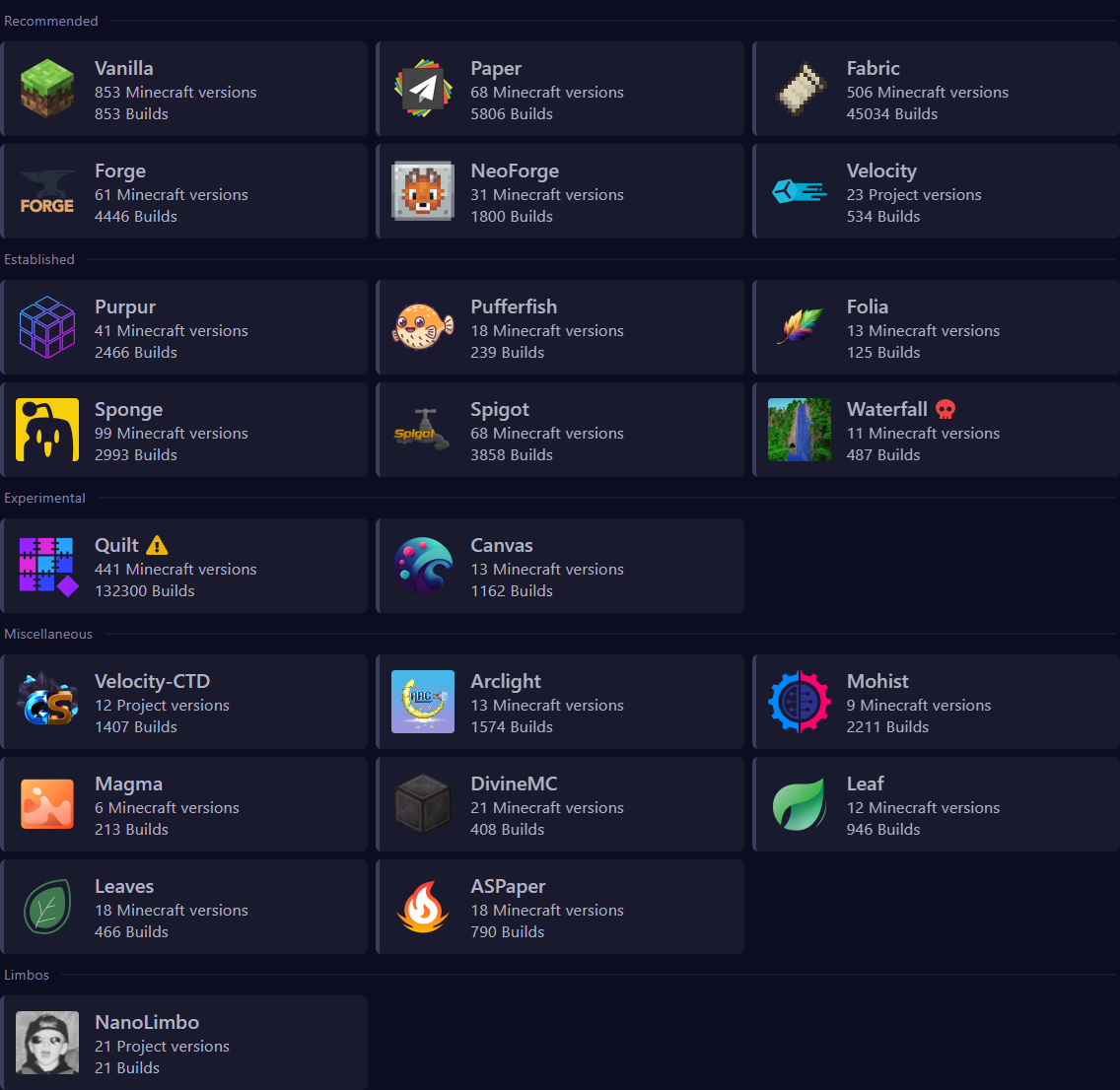
Version Switcher
Build changer to change your minecraft version with ease. In the Version Switcher tab you can always change your version. Please reinstall after changing.
Plugin Installer
World Manager
Backups & Schedules
Database Manager
Frequently Asked Questions
Common questions about our Minecraft hosting.
Join Our Discord Community
Get quick support, open a ticket and stay updated on new features and deals.