Every server has an address with a port, such as gnode1.elitestarhosting.com:25616. In the panel that combination is called an allocation. You manage them on the Network page.
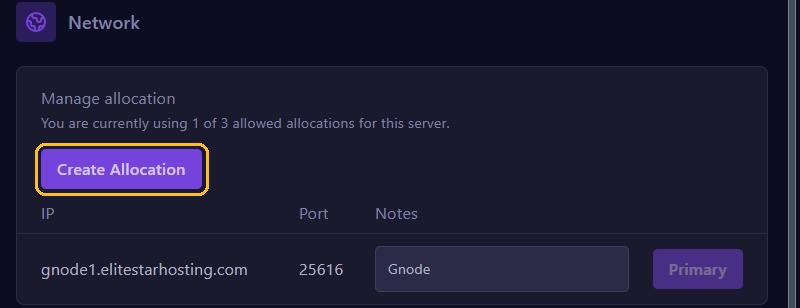
At the top you see how many ports you use and how many your plan allows. The port marked Primary is the one players connect to.
Adding an extra port
Some plugins need a port of their own, such as Simple Voice Chat, a web map like BlueMap or Dynmap, or Votifier.
- Go to Network.
- Click Create Allocation. Your server gets an extra port straight away.
- Use Notes to write down what the port is for, for example Voice chat.
- Put the new port number in the plugin's configuration and restart your server.
You remove an extra port with the button next to that port. The primary port always stays.
Using your own domain name
Want players to connect with, say, play.yourdomain.com without a port? Create an SRV record in your domain's DNS settings:
Type:      SRV
Name:      _minecraft._tcp.play
Priority:  0
Weight:    5
Port:      <your port, for example 25616>
Target:    <your server address without the port, for example gnode1.elitestarhosting.com>
After a few minutes, sometimes a bit longer, Java players can connect with play.yourdomain.com. Bedrock players can't use SRV records; they connect with the server address and the port.
No domain name of your own? Minecraft servers can also use a free subdomain, such as survival.eshplay.com.