The Startup page shows how your server starts. This is where you choose the Java version and change settings that differ per game.
Startup Command and Docker Image
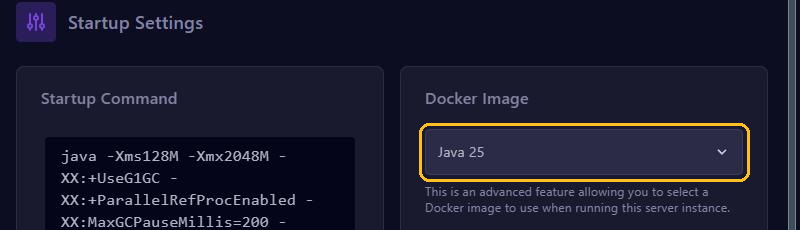
- Startup Command is the command your server starts with. The memory follows your plan automatically, so there is nothing to do here.
- Docker Image is where you choose the Java version. Minecraft 1.20.5 and newer needs at least Java 21. For 1.18 up to 1.20.4, Java 17 works best. Not sure with a new version? Pick the newest Java.
A different Java version takes effect after a restart. Do you see UnsupportedClassVersionError in the console? Then your server needs a newer Java.
Variables
Variables holds settings that differ per game. For Minecraft these include:
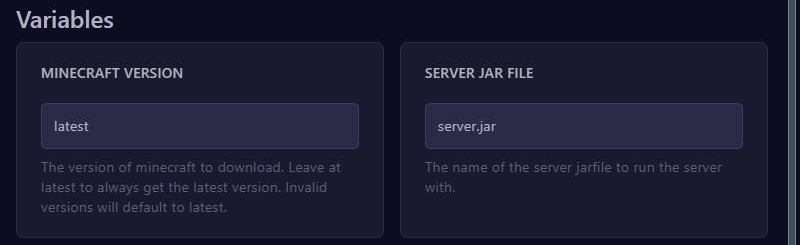
- MINECRAFT VERSION: the version that gets installed. With
latestyou always get the newest version. - SERVER JAR FILE: the name of the jar file your server starts with, usually
server.jar. If you upload a jar with another name yourself, fill in that name here.
A change is saved as soon as you leave the field and takes effect after a restart. A different MINECRAFT VERSION is only installed when the server is reinstalled. Installing a new version is easier through Versions: see Change your Minecraft version or server type.