Frameworks such as ESX and QBCore, and many single scripts, store their data in a MySQL database. You create it in the game panel and connect it with the oxmysql resource.
1. Create a database
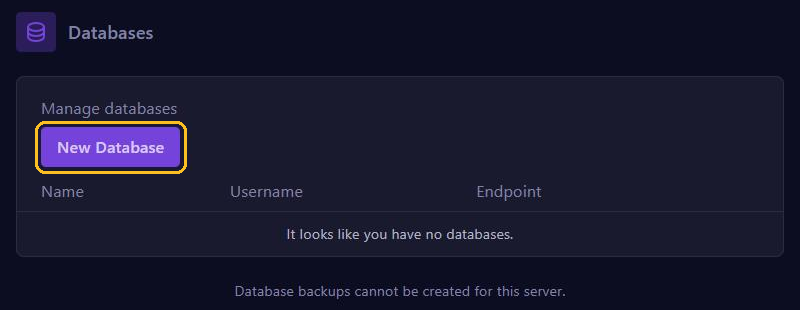
In the game panel, go to Databases and click New Database.
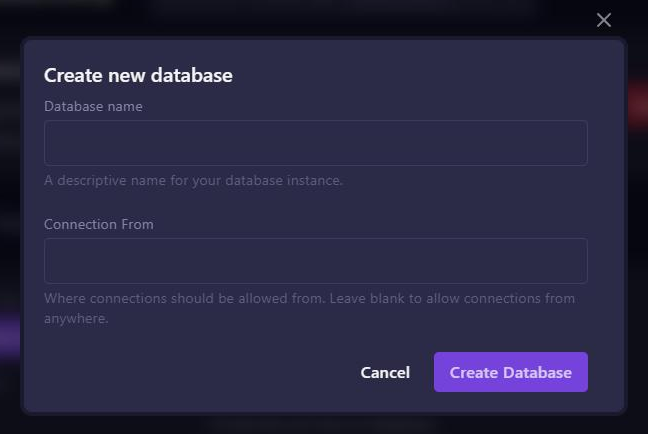
Give the database a name, for example fivem, leave Connection From empty and click Create Database.
The list then shows the Endpoint (address and port), the Username and the database name. Use the Database Details button next to the database to see the password. There is more about this in Create a MySQL database.
2. Connect the database with oxmysql
- Make sure the oxmysql resource is in your resources folder and that it starts before your framework in the server.cfg.
- Open server.cfg editor and click Manual Edit.
- Add this line above the
ensurelines, with your own details:
set mysql_connection_string "mysql://USERNAME:PASSWORD@ENDPOINT/DATABASENAME?charset=utf8mb4"Then click Save and restart your server.
Does your password contain characters such as @, # or /? Then use this form, where those characters are no problem:
set mysql_connection_string "user=USERNAME;password=PASSWORD;host=HOST;port=3306;database=DATABASENAME"The console shows whether oxmysql connected while the server starts. Using a txAdmin recipe for QBCore or ESX? Then txAdmin asks for these details itself and adds the line to your server.cfg for you.
Viewing the database from your computer
With a program like HeidiSQL you can view and edit the tables from your own computer. Fill in the address and port from Endpoint, with your username and password.
Tips
- Never share your database password. If it leaks, create a new password under Database Details.
- A backup of your server contains your files, not your database. So export the database now and then too, for example with HeidiSQL.