Coming from another host? The Importer copies the files from your old server straight to your new server at EliteStarHosting. You don't have to download anything to your own computer first.
What you need
The SFTP or FTP details of your old host: the address, the port, your username and your password. You usually find them in your old host's panel, often under Settings or SFTP.
Importing your files
- Stop your new server with the Stop button.
- Go to Importer in the menu.
- In Host, fill in the address of your old server, and the port in Port. For SFTP that is often 2022 or 22, for FTP usually 21.
- Fill in your Username and Password from the old host.
- Leave Source Path and Destination Path at
/to copy everything. - Choose SFTP or FTP at the bottom right and click Connect.
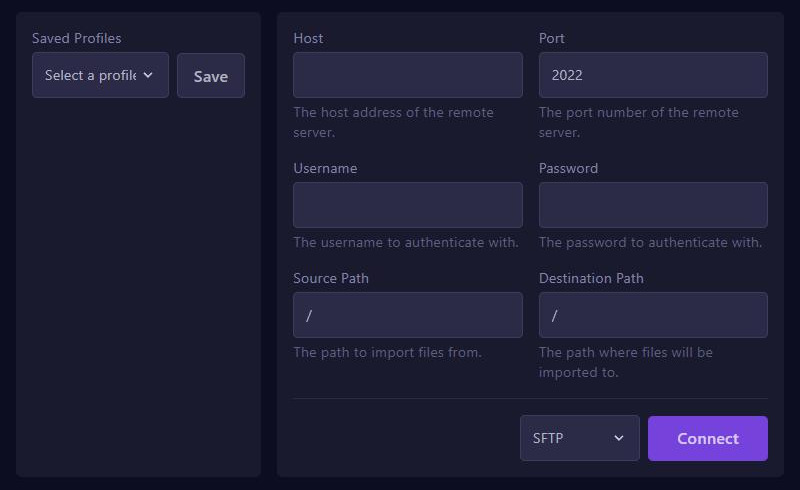
Then follow the steps on screen. How long the import takes depends on the size of your server.
With Saved Profiles and Save you keep the details, so you can import again later.
After the import
- Check that your server uses the same Minecraft version and server type as at your old host. Change it if needed through Versions.
- Start your server and check the console to see that everything loads.
Would you rather have us move it for you? See our switching page.