FiveM scripts are called resources. A resource is a folder with an fxmanifest.lua in it. You put it in your server's resources folder and start it from the server.cfg.
1. Upload the resource
- Download the script and unpack it on your computer. Check that the folder contains an
fxmanifest.lua. - In the game panel, open Files and go to the resources folder.
- Upload the folder with Upload and then Upload Folders, or use SFTP for big scripts.
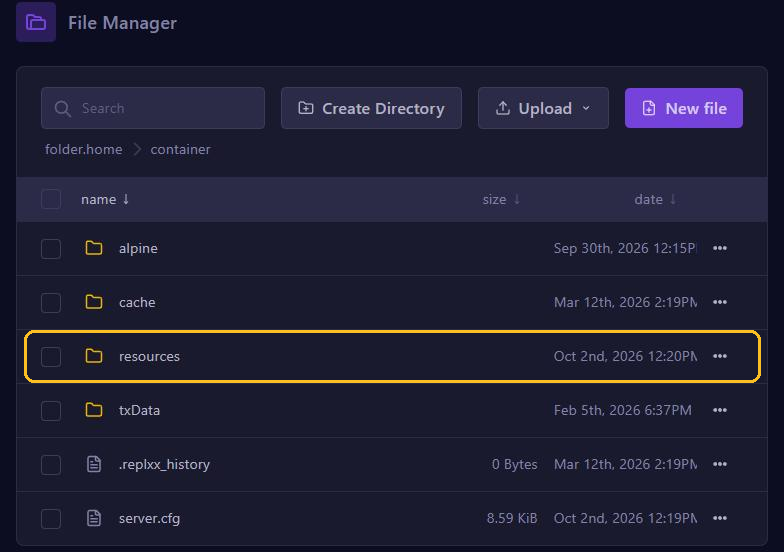
You can also put resources in subfolders in brackets, such as [scripts]. FiveM finds them there too.
2. Start the resource
- Go to server.cfg editor.
- At the bottom, under Resources, type the folder name, for example
my-script, and click Add. That adds a lineensure my-scriptto your server.cfg. - Click Save at the top and restart your server.
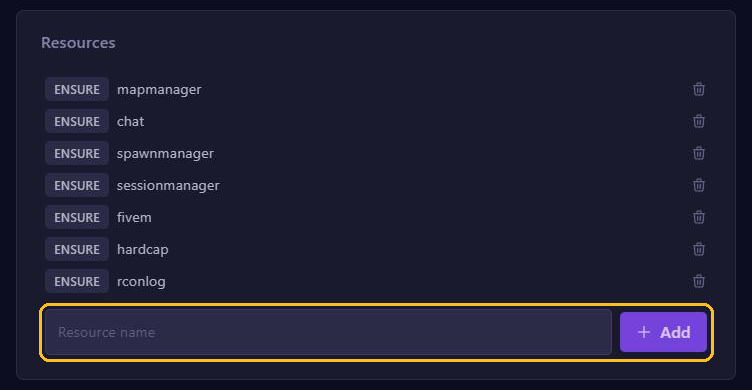
The order matters: resources start from top to bottom. Put a script that needs another script, such as something for ESX or QBCore, below that other script. Use the bin icon to remove a resource again.
Other settings in the server.cfg editor
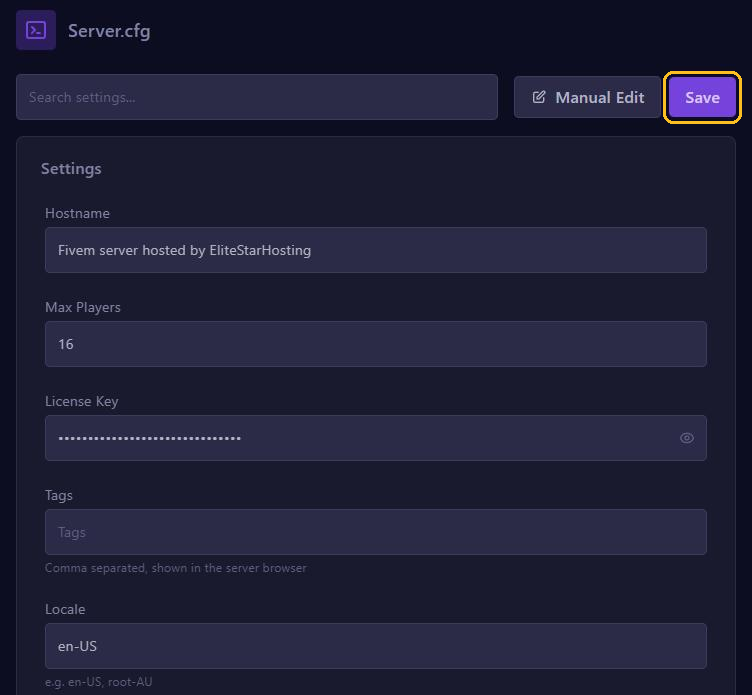
The most important settings are at the top as plain fields: Hostname, Max Players, License Key, Tags and Locale. Further down you find, among others:
- OneSync: needed for more than 32 players and for many modern scripts. Set it to on.
- Project Name and Project Description: the title and description in the server list.
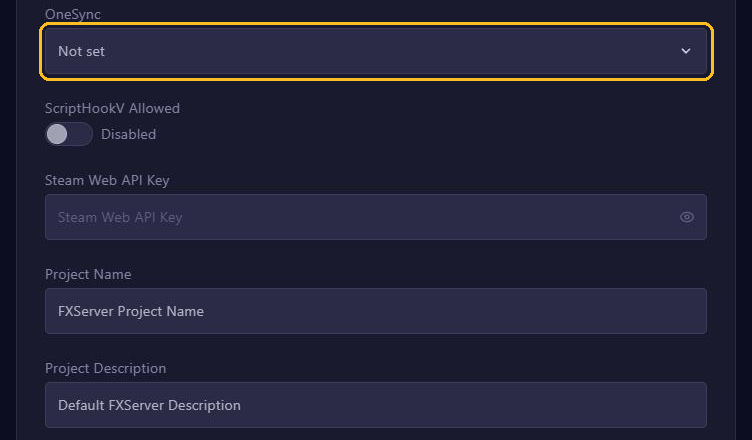
Want to add a line that has no field, such as a set line for a script? Click Manual Edit and edit the server.cfg as text. Don't forget to click Save afterwards.
Script not working?
- Check the console while the server starts. An error like
Couldn't find resourcemeans the folder name doesn't match the name under Resources. - Check that the script supports your framework and FiveM version.
- Seeing old or broken textures after an update? Clear the cache.