Plugins add features to your Minecraft server, like ranks, an economy or protection against griefers. They need a server type that supports plugins, such as Paper or Purpur. Mods for Fabric, Forge or NeoForge are installed differently: see Install mods, modpacks and worlds.
Option 1: the Plugins tab
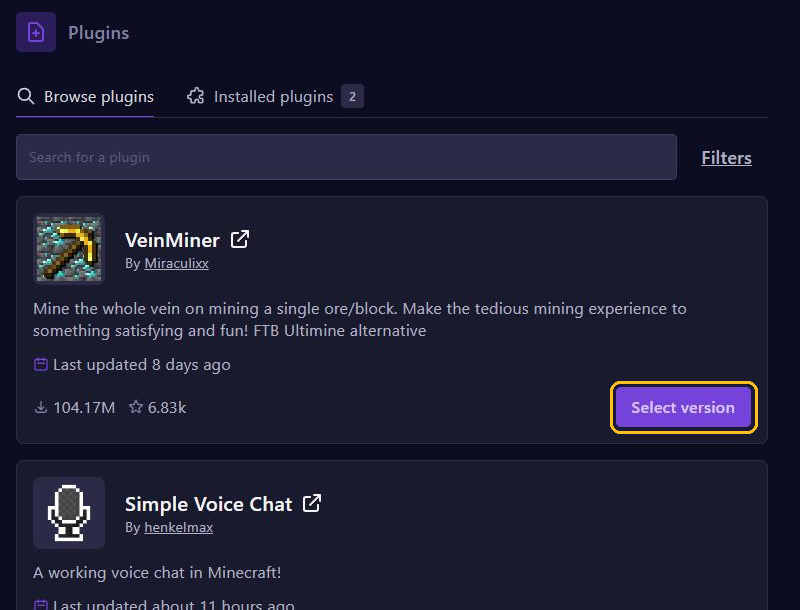
Open your server in the game panel and go to Plugins. Search for the plugin under Browse plugins; use Filters to narrow down the results. Click Select version on the plugin.
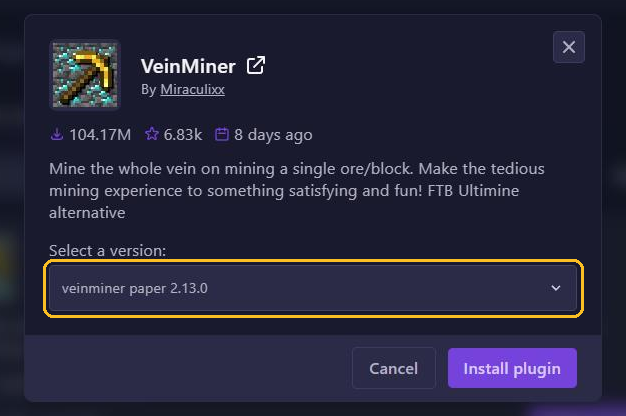
In the window, pick a version that matches your server type and Minecraft version. On a Paper server you pick a paper version, not a fabric or neoforge one. Click Install plugin and restart your server.
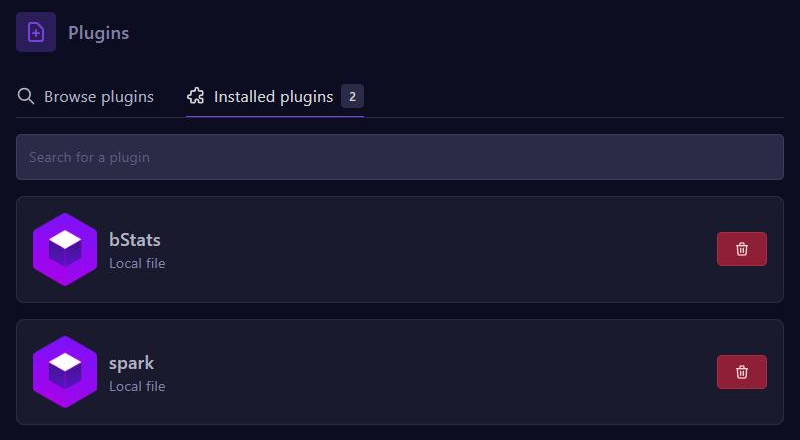
Installed plugins shows which plugins are on your server. Remove a plugin with the red button.
Option 2: upload the file yourself
- Download the plugin as a .jar file from a trusted site such as Modrinth, Hangar or SpigotMC.
- In the panel, open Files and go to the plugins folder.
- Upload the .jar file, or use SFTP for many files at once.
- Restart your server.
Check that it works
Type plugins in the console or /plugins in the game. Plugins in green are loaded; red means something went wrong. The console shows the error while the server starts.
Tips
- Check that the plugin supports your Minecraft version.
- Add plugins one at a time, so you know which one causes a problem.
- Does a plugin need a database? Create one under Databases.