Paper has many more settings than Vanilla. The ones for your worlds are in config/paper-world-defaults.yml. In our tips against lag you already read about per-player-mob-spawns, spawn-limits, update-pathfinding-on-block-update, redstone-implementation and hopper.ignore-occluding-blocks. Here you read how the file works and which other settings help. Everything is correct for Paper 26.3 (November 2026).
The defaults and per world
config/paper-world-defaults.ymlapplies to all your worlds.- On top of that, every world has a
paper-world.ymlof its own, which by default only holds_version. Whatever you put in it overrides the default for that one world.
Everything in paper-world-defaults.yml can be set differently per world this way. For config/paper-global.yml that isn't possible. Paper creates paper-world.yml itself as soon as a world loads. Since 26.1 that file is in the folder of the dimension:
world/dimensions/minecraft/overworld/paper-world.ymlworld/dimensions/minecraft/the_nether/paper-world.ymlworld/dimensions/minecraft/the_end/paper-world.yml
An extra world from Multiverse gets one in its own folder, for example world/dimensions/minecraft/creative. If level-name has a name other than world, the path starts with that name.
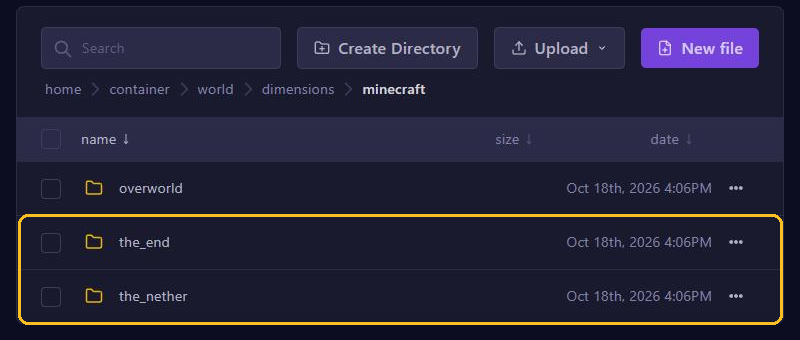
Never copy the whole defaults file into a world. Only put in what you want to change, with the headings above it. The world takes everything else from the defaults. With this in world/dimensions/minecraft/the_nether/paper-world.yml, only the Nether gets a lower limit for monsters:
entities:
  spawning:
    spawn-limits:
      monster: 50
Simply leave the _version line at the top.
Editing
- Go to Files and open the config folder, or the folder of a world.
- Click the file, change the value and click Save Content.
- Restart your server.
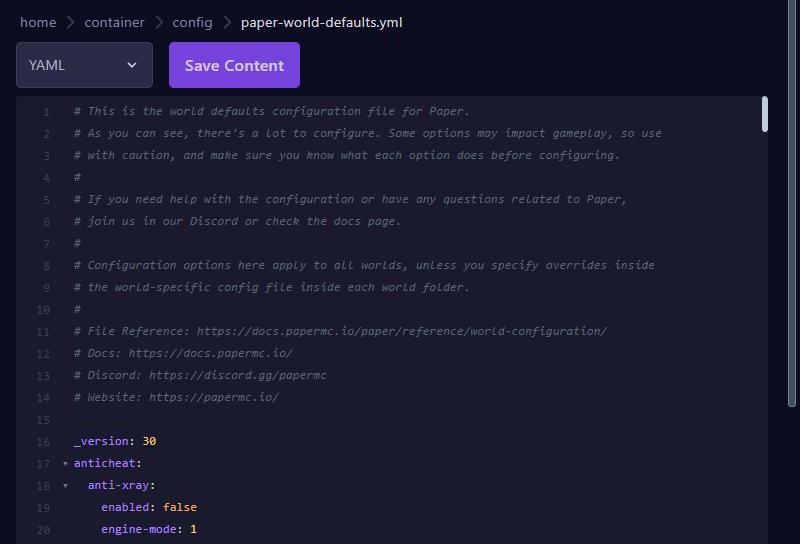
YAML is strict: use spaces, not tabs, and keep the indentation exactly the same.
Note: when a server is reinstalled, our panel puts its own optimised paper-world-defaults.yml in place. Your own changes are lost then, so download the file first or make a backup. Because of this, your values may also already differ from Paper's defaults below.
Settings that make a difference
chunks.entity-per-chunk-save-limit: how many arrows, snowballs, ender pearls, fireballs and experience orbs the server saves per chunk.-1by default, so no limit. Witharrow: 16, a chunk can't fill up with old arrows.entities.spawning.alt-item-despawn-rate: setenabledtotrueand the items in the list despawn sooner. It already holdscobblestone: 300, in ticks, so 15 seconds. Add what players leave lying around in bulk, such asnetherrack.environment.optimize-explosions: attrue, the server remembers which entities are nearby during an explosion, instead of looking them up again and again. According to Paper, this makes explosions a lot faster.entities.armor-stands.tick: atfalse, armor stands are no longer updated. That helps if you use many of them as decoration.chunks.prevent-moving-into-unloaded-chunks: attrue, players can't walk or fly into a chunk the server hasn't loaded yet.tick-rates.mob-spawner:1by default, so every tick. With2, spawners do their work every other tick. Test your spawner farms afterwards.
Do leave hopper.disable-move-event at false. According to Paper it makes hoppers much faster, but protection plugins and other plugins that rely on that event no longer work properly then.
This is how the first setting looks in the file:
chunks:
  entity-per-chunk-save-limit:
    arrow: 16
Change one thing at a time and then measure with spark tps, as in our tips against lag. What each setting does exactly is in Paper's documentation.