You can make your own Minecraft server in four ways: on your own PC, for free on Aternos, with Minecraft Realms or by renting a server. Which one fits depends on how many players you expect, whether the server has to stay on all the time and whether you want plugins or mods. Below you read what each option costs and what you need (November 2026). After that you see how to get a server online in a few minutes with our Minecraft server hosting.
The four options side by side
1. On your own PC
- Cost: the server software for Java and Bedrock is a free download on minecraft.net.
- You need: a PC that stays on while people play, enough memory next to your own game and the right Java version (Minecraft 26.1 and newer needs Java 25). Players from outside your home can only join if you open a port in your router (port forwarding, 25565 by default for Java).
- Keep in mind: your friends connect to the IP address of your home network. If you play on the same PC, your game and the server share its memory.
Handy for testing, or for playing together on the same network.
2. Aternos
- Cost: free, paid for by ads.
- You need: just an account.
- Keep in mind: you start the server yourself and sometimes wait in a queue. The server stops when nobody is playing, you pick plugins and mods from the Aternos library and you get at most 4 GB of storage.
All the differences are in Aternos alternative: a Minecraft server without a queue. Other free hosts, such as Minehut, Falix and Minefort, are compared in Free Minecraft server hosting compared.
3. Minecraft Realms
- Cost: according to minecraft.net, Realms for Java costs $7.99 per month (November 2026). You see the amount in euros at checkout.
- You need: just your Minecraft account. No technical knowledge is needed.
- Keep in mind: only players you invite can join, and you can play with at most 10 others at the same time.
Nice for a regular group of friends who don't want to set up anything technical. Every Realms plan, including the new Realms Pro, is in Minecraft Realms or your own server.
4. Renting a server
- Cost: with us from €2.00 per month for 1GB Budget, or €2.50 for 1GB Premium (November 2026). For 1 to 10 players, 2GB is a good start.
- You need: nothing. The server runs in the Netherlands on an AMD Ryzen 9 9950X with DDR5 memory and NVMe storage.
- Advantages: the server is on day and night, without a queue. You pick Paper, Fabric, Forge or a modpack, upload your own plugins and mods through Files or SFTP, and DDoS protection is included.
Still not sure? Try a server free for 24 hours with 2GB of RAM through the free trial server. You only need a free client account.
Which one fits you?
- Just trying it out, or playing together on your own network: your own PC.
- A few friends who usually play at the same time, and vanilla is enough: Aternos or Realms.
- A server that is always on, with your own plugins or mods, open to everyone or with more than 10 players at once: rent your own server.
Do you play on a phone, a console or the Windows version from the Microsoft Store? Then you play Bedrock. What that means for your server is explained in Minecraft Java or Bedrock server.
How to get a server online with us
- Pick a plan on the Minecraft server hosting page. Work out how much RAM you need with the RAM calculator.
- Log in to the game panel with Login with your billing account and click Manage server next to your server.
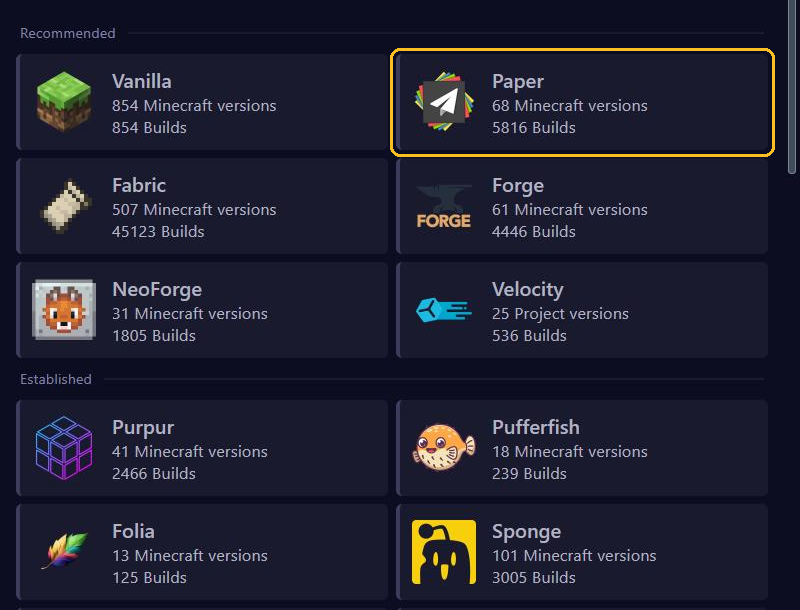
- Under Versions, choose your server type, such as Paper for plugins, and the Minecraft version.
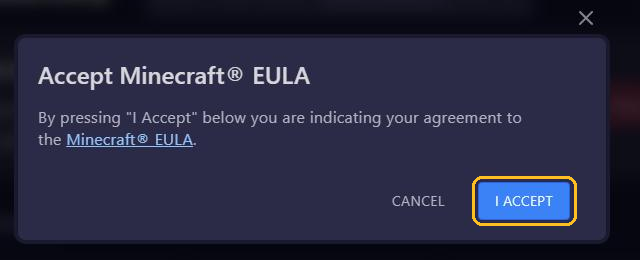
- Click Start at the top. If the panel asks about the Minecraft EULA, click I Accept.
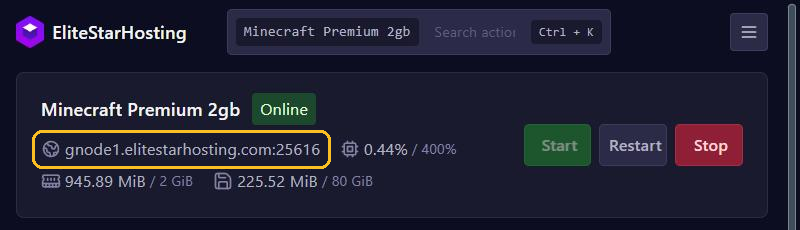
- Copy the address with the port at the top of the page and share it with your friends.
More about each step, such as making yourself an operator and planning a backup, is in Bought a Minecraft server: the first steps. An easy address such as yourname.eshplay.com comes with a free subdomain.