A Discord bot is a program. As long as that program runs, your bot is online. When it stops, your bot goes offline and no longer responds to anything. That is why a bot belongs on a server that is on day and night.
Why a server that is always on?
Your bot keeps a permanent connection open to Discord's gateway and sends a heartbeat over it at set intervals, so Discord knows it is still there. Without that connection, your bot receives no messages or commands. Slash commands fail too, because Discord wants a first answer from your bot within 3 seconds.
On your own PC that goes wrong with sleep mode, a Windows update or patchy Wi-Fi. And a bot that keeps restarting runs into a limit: after 1000 new logins within 24 hours, Discord closes all of your bot's sessions and resets its token. With us, the panel restarts your bot after a crash, except after a second crash within a minute.
What do you need?
- Your code, for example in JavaScript with discord.js, Python with discord.py or Java with JDA. Another language works too, as long as your bot starts with a single startup command: ask us through support which environment fits.
- A token from the Discord Developer Portal. Put it in a
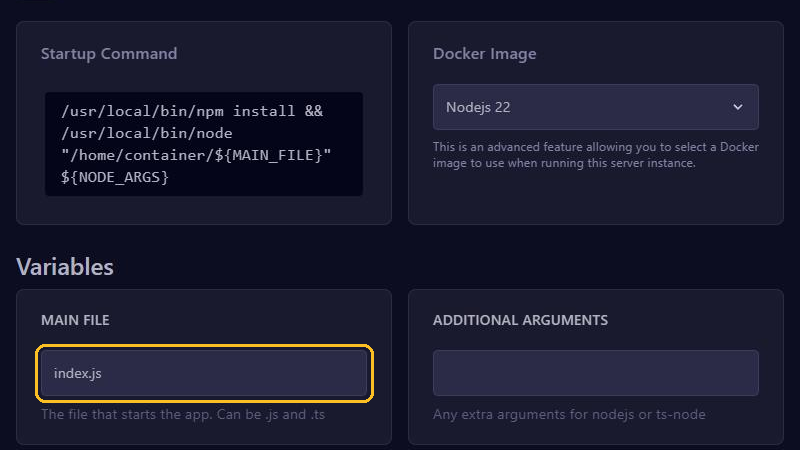
.envfile, not in your code: this is how you keep your token safe. - The right language on your server. Under Startup you see which one: MAIN FILE belongs to Node.js, APP PY FILE to Python and JAR FILE to Java. At Docker Image you choose the version. In November 2026, discord.js 14 needs at least Node.js 18 and discord.py at least Python 3.8.
- Enough RAM, see below.
Step-by-step instructions are in the guides for Node.js, Python and Java.
How much RAM does your bot need?
Our rule of thumb:
- 512 MB: a simple bot on one or a few Discord servers.
- 1 GB: a bot with a database or many commands.
- 2 GB: a large bot on many servers, or a bot that processes media, such as music or images.
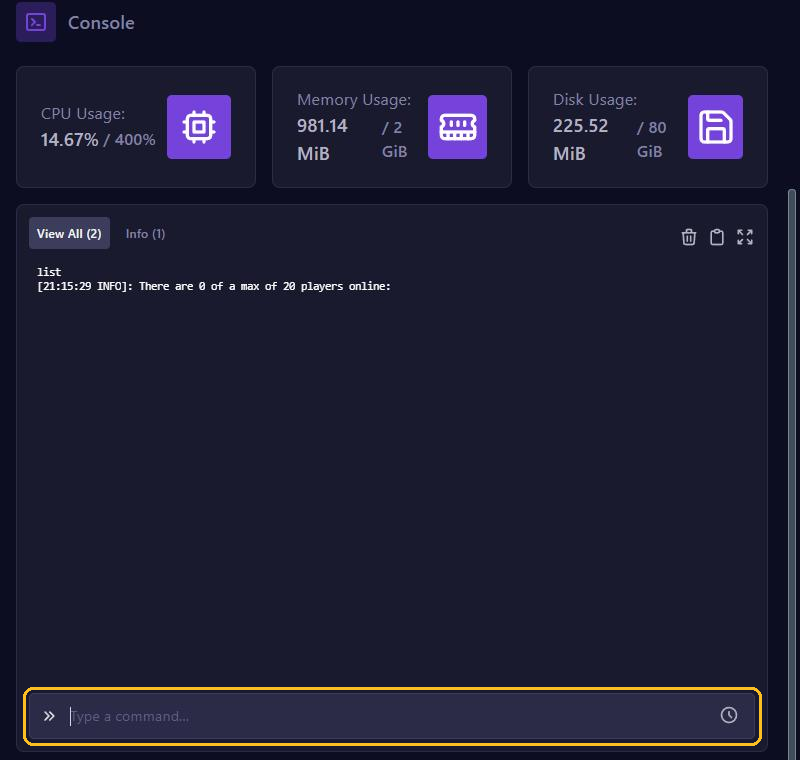
A lot of memory goes to the cache: everything your library remembers about servers, members and messages. If you turn on the Server Members Intent on large servers, that cache can grow considerably. After a few days, check under Console how much memory your bot really uses. If you see Out of memory: true, your plan is too small. You can upgrade at any time and keep your files.
Our plans and prices (November 2026)
- 512MB Discord Bot: €0.50 per month, with 0.5 CPU core, 2 GB NVMe, 1 port, 2 backups and no database.
- 1GB Discord Bot: €1.00 per month, with 1 CPU core, 2 GB NVMe, 1 port, 1 database and 2 backups.
- 2GB Discord Bot: €2.00 per month, with 1 CPU core, 3 GB NVMe, 1 port, 1 database and 3 backups.
All plans have DDR5 memory and run in the Netherlands. For consumers, the prices include VAT. You order them at Discord bot hosting. Looking for a ready-made ticket bot? Then read our blog post about ticket bots.
What to look for in a host
These questions help you choose any host:
- Can you pick the version of Node.js, Python or Java that your code needs?
- How much RAM is really for your bot, and what happens when it is full?
- Does your bot start again by itself after a crash?
- Can you get to your files yourself, for example with a file manager or SFTP?
- Are there backups, and a database if your bot needs one?
- Can you upgrade without losing your files?
- What do you pay per month, including VAT?