You set up your Enshrouded server in two places: the basics under Startup in the game panel, and the roles, passwords and difficulty in the enshrouded_server.json file.
Name and players under Startup
Open your server in the game panel and go to Startup. Under Variables you find:
- [SERVER] SERVER NAME: the name in the server list.
- [SERVER] MAX PLAYERS: how many players can be on at the same time, up to 16.
- [SERVER] SERVER PASSWORD: one password for everyone. If you use roles, leave this empty.
- [SERVER] AUTO UPDATE: updates the server on every start.
- [SYSTEM] VALIDATE: checks the server files through Steam. Only turn it on if your server doesn't start properly, and off again afterwards.
Leave [SERVER] STEAM QUERY PORT as it is: that port belongs to your server.
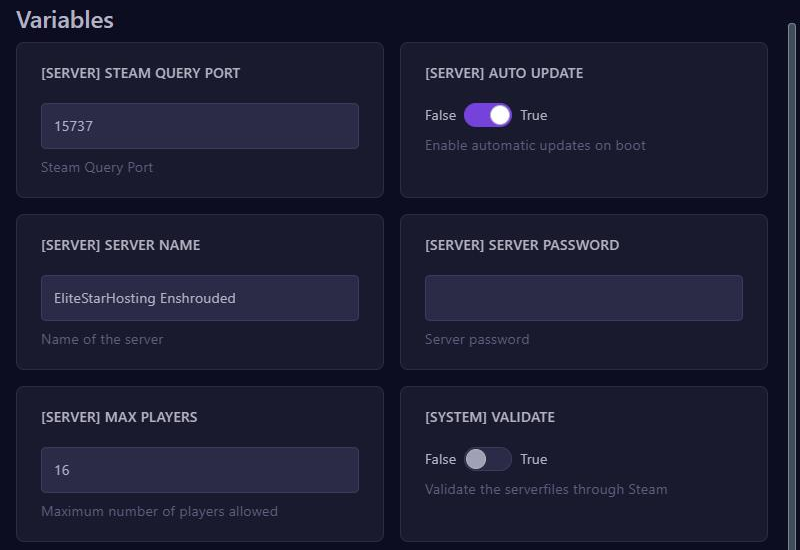
On every start, the panel writes the name, the password, the player count and the ports into enshrouded_server.json. So change them here, because in the file they get overwritten on the next start.
Passwords per role
Enshrouded works with roles, called userGroups in the file. Each role has its own password, and the password someone joins with decides what they may do:
- Admin: may do everything, including kicking and banning players.
- Friend: may build in bases and use chests.
- Guest: may explore the world and fight, but not build in bases or open chests.
A new file gets random passwords. This is how you choose your own:
- Stop your server.
- Go to Files and open
enshrouded_server.jsonin the main folder. - Find the role under
userGroupsand replace the text after"password". - Click Save Content and start your server.
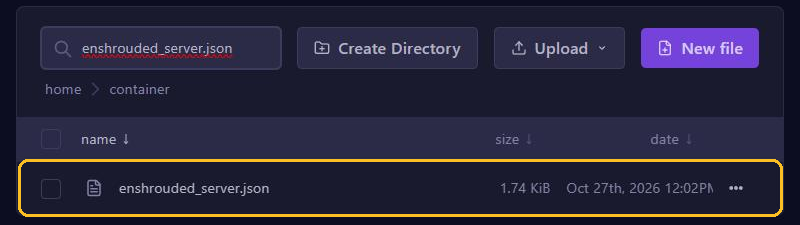
Give each player only the password of the role that suits them. With "reservedSlots" you keep slots free for a role, so admins can still get in when the server is full.
If you do fill in [SERVER] SERVER PASSWORD, Enshrouded turns it into an extra role called default with the same rights as Friend.
Difficulty and chat
In the same file, "gameSettingsPreset" sets how hard the game is:
Default: the normal settings.Relaxed: fewer enemies and more resources.Hard: more and more aggressive enemies.Survival: extra survival on top, such as hunger.Custom: you set everything yourself under"gameSettings", such as player health. Only withCustomdoes the server use those separate values.
Turn voice and text chat on by setting "enableVoiceChat" and "enableTextChat" to true.
Mind the quotes and commas: with a mistake in the file the server won't start, and the console shows which value is wrong. You read more about editing files in Manage files.
Joining
Start Enshrouded, find your server by name in the server list and enter the password of your role. Is your server not in the list? Then add it as a favourite in Steam, through View and Game Servers, with the address from the panel and the query port. After that it shows at the top of the server list in the game.
Your world is in the savegame folder. Make a backup before you change anything big.