You set up your Palworld server in two places. The name, the passwords and the number of players are under Startup in the game panel. All game rules, such as experience, PvP and crossplay, are in the PalWorldSettings.ini file.
Name, passwords and players under Startup
Open your server in the game panel and go to Startup. Under Variables you find:
- SERVER NAME and SERVER DESCRIPTION: your server's name and description.
- MAX PLAYERS: how many players can be on at the same time, up to 32.
- SERVER PASSWORD: the password to join. Leave it empty and anyone can join.
- ADMIN PASSWORD: the password that makes you an admin in the game.
For both passwords, use only letters, numbers, hyphens and underscores, up to 30 characters. A change takes effect after a restart.
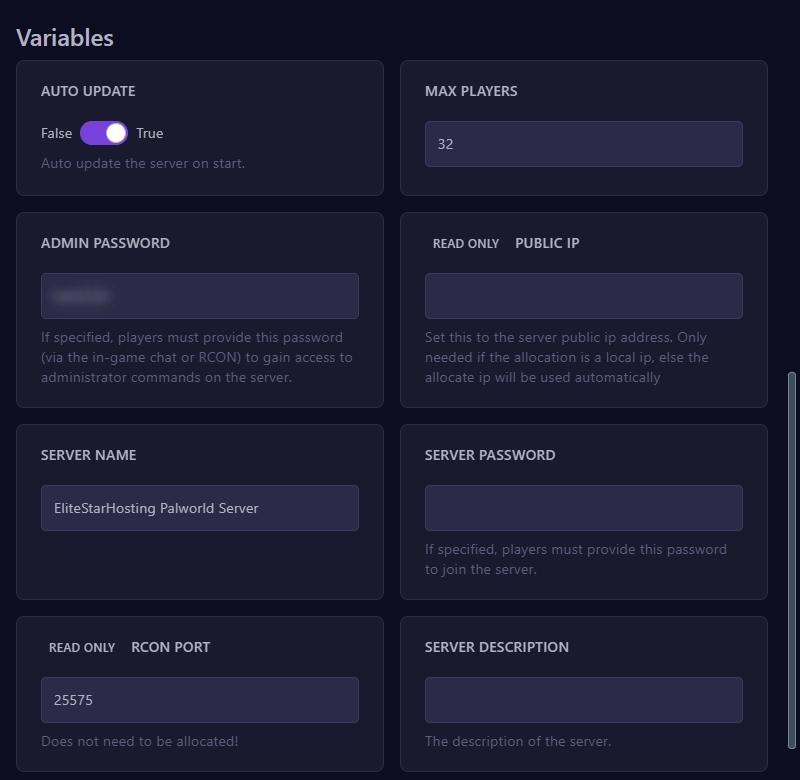
On every start, the panel writes these values into PalWorldSettings.ini. So change them here and not in that file, or the value from Startup comes back after a restart.
Do you also see CONNECTION PLATFROM at the bottom? That field belongs to an older version of Palworld and does nothing since version 1.0. You set crossplay in the file, as shown below.
Becoming an admin in the game
- Join your server.
- Press Enter to open the chat.
- Type
/AdminPassword, a space and your admin password, and press Enter.
You can now use admin commands, such as /ShowPlayers, /KickPlayer or /BanPlayer with a player's Steam ID, /Broadcast with a message and /Save to save the world. Only type your password after /AdminPassword, never as a normal chat message.
Game rules and crossplay in PalWorldSettings.ini
- Stop your server. If you edit the file while the server is running, your changes get lost.
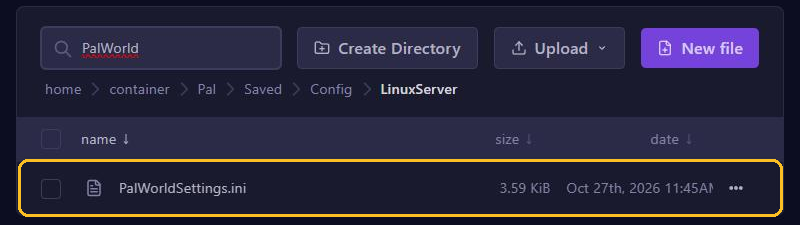
- Go to Files and open
Pal/Saved/Config/LinuxServer/PalWorldSettings.ini. - All settings are on one long line that starts with
OptionSettings=(. Only change the value after a setting and leave the commas and brackets alone. - Click Save Content and start your server.
A few settings you'll often need:
ExpRateandPalCaptureRate: how fast you gain experience and how easily you catch Pals.DeathPenalty: what you lose when you die, fromNonetoAll.bIsPvP: set it toTrueto let players fight each other.CrossplayPlatforms: which platforms may connect. The default is(Steam,Xbox,PS5,Mac).
Is the file empty? Then the panel fills it on the next start with the default values from DefaultPalWorldSettings.ini in the main folder. Don't edit that default file itself: the server doesn't read it. You read more about editing files in Manage files.
Connecting to your server
In Palworld, choose multiplayer and enter the address with the port below the server list, as shown at the top of your server page, for example gnode2.elitestarhosting.com:8211. Is the address not accepted? Then type nslookup followed by the name from your server address in a command prompt, and use the IP address you get back, with the port after it.
Memory and restarts
Pocketpair, the maker of Palworld, recommends at least 16 GB of memory and more than 32 GB for busy servers. With less the server does start, but the chance of a crash is higher. Want to restart your server at a set time, for example at night? Then create a restart with Schedules. You make a backup of your world in the game panel.