A datapack changes Minecraft without plugins or mods: new recipes, different loot, handy extra features or even different world generation. Datapacks work on Vanilla and Fabric, and also right next to your plugins on Paper or Purpur. Your players don't need to install anything.
Finding a datapack
You find datapacks on Modrinth and at Vanilla Tweaks, among other places. Always pick the version that matches your server's Minecraft version.
A datapack is a .zip file or a folder with a pack.mcmeta file in it. Don't unzip a .zip: Minecraft reads it as it is.
Uploading the datapack
A datapack belongs to a world. It goes in the datapacks folder inside your world folder.
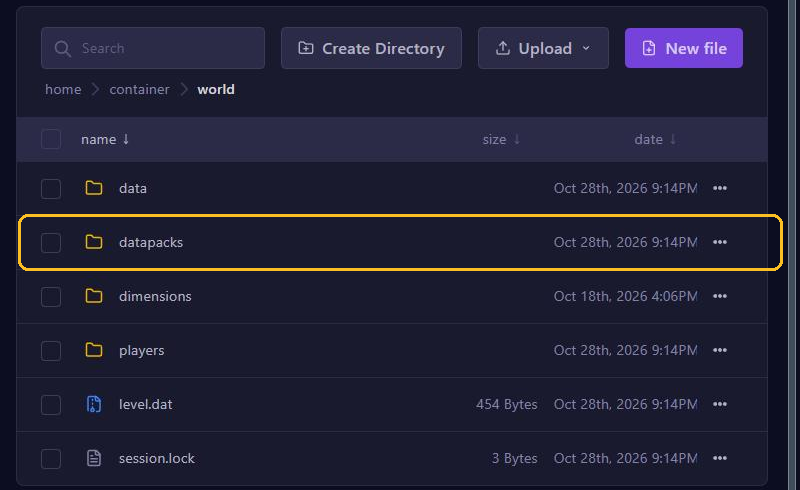
- Open your server in the game panel and go to Files.
- Open the world folder and then the datapacks folder in it. Does
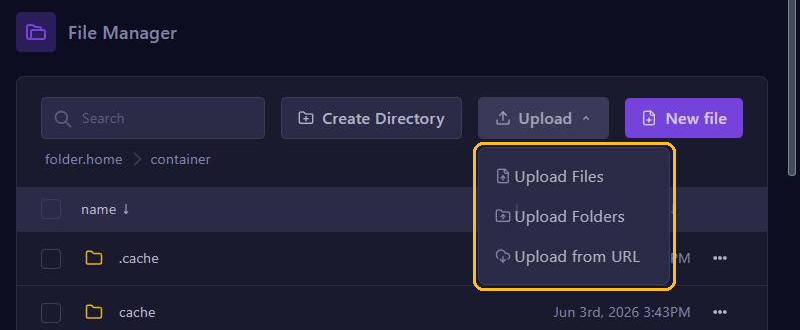
level-namein server.properties have a name other thanworld? Then open the folder with that name. - Click Upload, choose Upload Files and select the .zip file.
Loading without a restart
Is your server already running? Then load the pack with a command in the console:
- On Paper or Purpur:
minecraft:reload - On Vanilla or Fabric:
reload
Don't type just reload on Paper. There it is a different command that also reloads your plugins, which can cause problems. Not sure? Then simply restart your server.
Then check with datapack list enabled that the pack is on. It shows up as file/ followed by the file name, for example [file/mypack.zip].
Turning packs on and off
datapack disable "file/mypack.zip"turns a pack off.datapack enable "file/mypack.zip"turns it back on.datapack listshows all packs, including the ones that are off.
Put the name in quotes, because it contains a /. Want to remove a pack completely? Stop your server, delete the file from the datapacks folder and start your server again.
Packs that change the world
Some packs change how the world is generated, for example with new biomes or structures. They only work after a restart, and only in parts of the world that didn't exist yet. Want to see the result everywhere? Then start with a new world.
server.properties also has initial-enabled-packs. That setting only counts at the moment the server creates a new world. You don't need it for packs in the datapacks folder.
Pack not working?
- Check that the pack was made for your Minecraft version. Since 1.21, the folders in a datapack have different names, such as
functioninstead offunctions. That's why older packs often do nothing on new versions. - Is
pack.mcmetanot directly in the .zip, but in a folder inside it? Then Minecraft doesn't recognise the pack. Unzip it on your computer and upload the inner folder with Upload Folders. - Check the console after loading. Errors in a datapack show up there.