Cobblemon is a Pokémon mod for Minecraft Java Edition. You catch, train and ride Pokémon and battle your friends. Here's how to set up your own server for it.
What Cobblemon needs
When this guide was written (November 2026), 1.8.4 was the newest version of Cobblemon. It only works with:
- Minecraft 1.21.1, so not with 26.x.
- Fabric plus the Fabric API mod, or NeoForge plus the Kotlin for Forge mod. The makers recommend Fabric, because it performs better.
- Java 21.
Is your server running a newer version now, such as 26.3? That world won't load on 1.21.1. First make a backup and start with a new world.
Plugins don't work on Fabric or NeoForge, only mods do.
Option 1: the official modpack
The easiest way: your players use the same modpack.
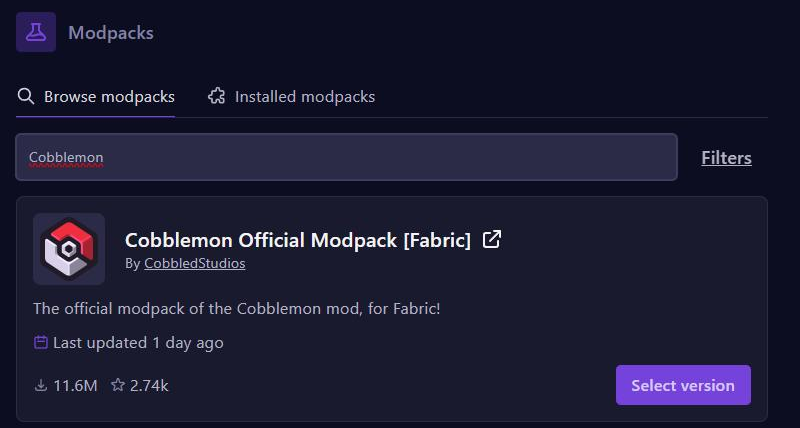
- Go to Modpacks and search for
Cobblemon. - Click Select version on Cobblemon Official Modpack [Fabric] by CobbledStudios.
- Pick the newest version and install it.
Option 2: just Cobblemon
A lighter server, with only what Cobblemon needs.
- Go to Versions, click Fabric and choose 1.21.1. Turn on Accept EULA and click Install. With Wipe Server Files on, you first delete all files, including your world.
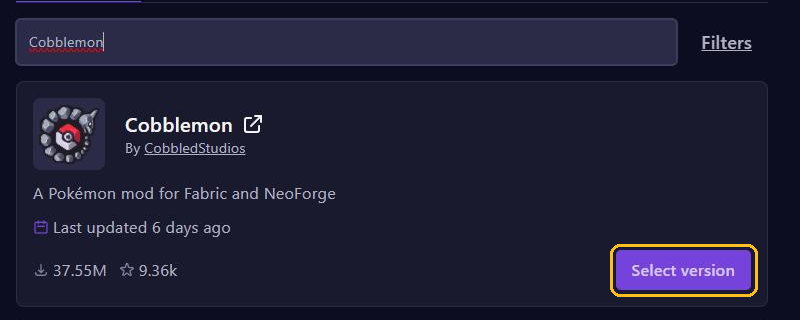
- Go to Mods, search for
Cobblemon, click Select version and pick the newest version for Fabric and 1.21.1. - Install Fabric API for 1.21.1 the same way.
Choose Java 21
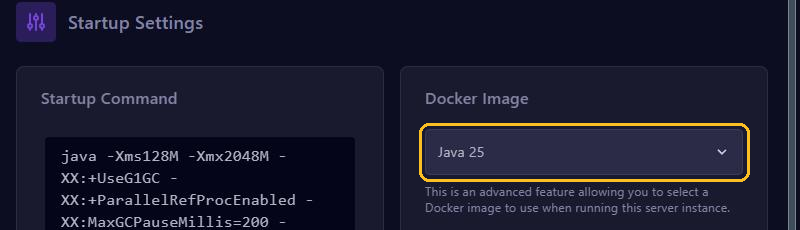
Go to Startup and choose Java 21 under Docker Image. Then start your server; the first start takes a bit longer. Also see Startup settings.
What players need
Players need Minecraft Java Edition; Bedrock doesn't work. The easiest is the official modpack in the same version as your server, through the Modrinth App, the CurseForge app or Prism Launcher. That modpack also works on a server with only Cobblemon and Fabric API. Installing separately? Then they need Fabric for 1.21.1, Fabric API and exactly the same Cobblemon version. Connecting works as in Join your Minecraft server.
Handy commands
You need operator rights: type op YourName in the console, see Operators, whitelist and bans. In the game, type for example:
/givepokemon pikachu level=10
/givepokemonother Steve eevee shiny
/spawnpokemon charmander
/healpokemon Steve
/openstarterscreen Steve
/stopbattle Stevegivepokemonis for yourself,givepokemonotherfor another player. In the console only the second one works, without the/.openstarterscreenshows the starter choice screen again, as long as that player hasn't picked a starter yet.stopbattleends a battle that is stuck./clearpartyand/clearpcwipe all Pokémon in a player's team or PC without asking.
Your players' Pokémon live in the pokemon folder in your world folder, so a backup includes them. Settings such as shinyRate (1 in 8192 by default) are in config/cobblemon/main.json. After a change, type /cobblemonconfig reload or restart the server.
How much memory?
The Cobblemon team only gives a guideline for the official modpack on the player's computer: at least 2.5 GB, and 3 GB or more for the best performance. For a server with a small modpack we recommend 6 to 8 GB, see How much RAM does your game server need? The top of your server page shows how much memory your server really uses.
Rather play Pixelmon? That's a different Pokémon mod, which runs on NeoForge for 1.21.1. For the upkeep after that, read Keep your modded Minecraft server healthy.