With DecentHolograms you place floating text, for example your rules at the spawn. With Citizens you make NPCs: characters that do something when you click them. Both work on Paper and Purpur.
Installing DecentHolograms
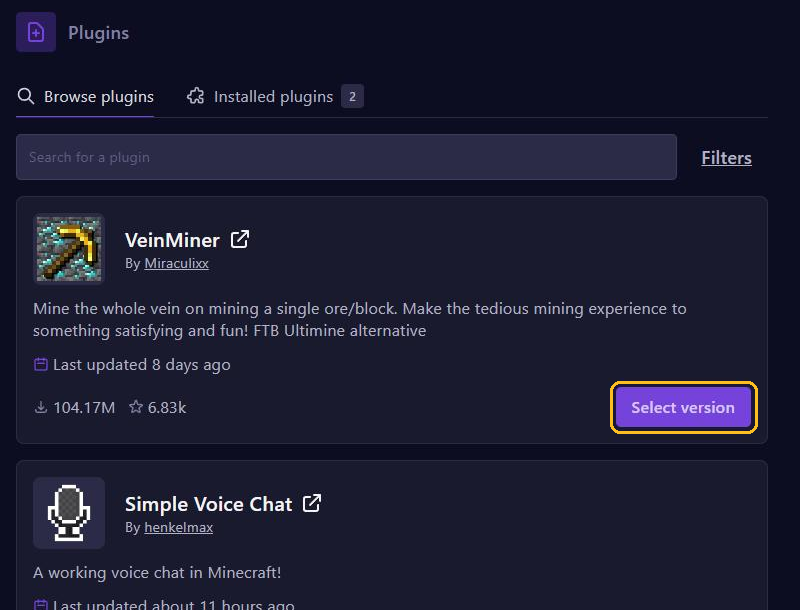
In the game panel, go to Plugins, search for DecentHolograms and click Select version. Pick the newest version, click Install plugin and restart your server. On 2 November 2026 that is version 2.10.2, which works on Minecraft 1.8 up to 26.3.
Creating a hologram
Stand where the hologram should go and type:
/dh h create welcome &6Welcome to the server!
/dh l add welcome 1 &7Online: &f%server_online%
welcome is the name of the hologram and 1 the page number. /dh l add adds a line below it.
/dh l set welcome 1 2 &aOther textreplaces line 2./dh l remove welcome 1 2removes line 2./dh h movehere welcomemoves the hologram to where you stand./dh listshows all your holograms,/dh h delete welcomedeletes one.
{player} shows the name of whoever looks at it. Placeholders from PlaceholderAPI work too, such as %server_online% with the Server expansion (see TAB and PlaceholderAPI).
Holograms are in plugins/DecentHolograms/holograms. After a change there, type /dh reload.
Installing Citizens
Citizens is not on Modrinth, so not under Plugins. Upload it yourself, as in Install plugins:
- Download the newest .jar file for free from the official build server ci.citizensnpcs.co.
- In the panel, go to Files and open the plugins folder.
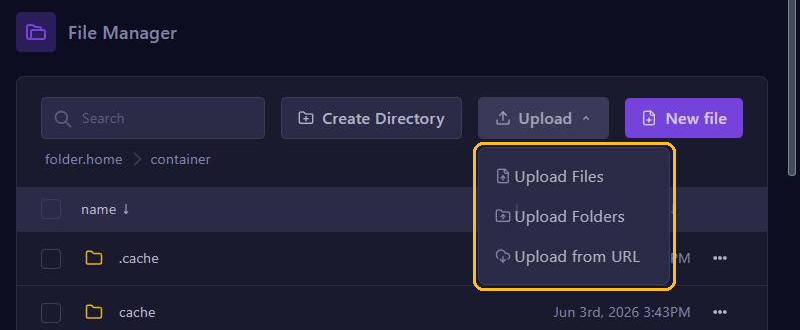
- Click Upload, choose Upload Files and select the .jar file.
- Restart your server.
On 2 November 2026, the newest build (2.0.44) only works on Minecraft 26.1, 26.2 and 26.3. Running an older version? Then update your server first.
Creating an NPC
As an operator, type in the game:
/npc create Guide
/npc skin Notch
/npc lookclose
/npc create places an NPC shaped like a player where you stand and selects it, so the commands after it apply to that NPC. /npc skin copies the skin of a Minecraft account. With --url and a direct link to a .png file you set a skin of your own. With /npc lookclose the NPC looks at players nearby.
To select another NPC, look at it and type /npc select. /npc tphere brings the NPC to you, /npc remove deletes the NPC.
A command on click
With /npc command an NPC runs commands when someone right-clicks it. By default the server runs them, and <p> becomes the name of the player who clicked. Leave out the / of the command itself:
/npc command add give <p> bread 3
/npc command add -p spawn
/npc command add --cooldown 1h give <p> diamond 1- The first gives the player three loaves of bread.
- With
-pthe player runs the command themselves, here/spawnfrom EssentialsX. The player then does need the permission for that command. - With
--cooldown 1heach player can use it once per hour.
/npc command shows the list with numbers. /npc command remove 1 removes command 1.