EssentialsX is the best-known plugin with basic commands for a Minecraft server: homes, warps, teleport requests, kits and much more. It works on Paper and Purpur, not on Fabric, Forge or Folia.
Which version do you need?
The newest stable version, EssentialsX 2.22.0 from 31 May 2026, works up to and including Minecraft 26.1.2. Is your server on 26.2 or 26.3? Then you need a development build (dev build), which already supports those versions. You have two options:
- Download the dev build from essentialsx.net/downloads and upload the .jar files to the plugins folder yourself. A dev build is less tested, so make a backup first.
- Or wait with EssentialsX until there is a stable version for your Minecraft version.
On 26.1.2 or older, simply install the stable version through the panel.
Installing EssentialsX
- Open your server in the game panel and go to Plugins.
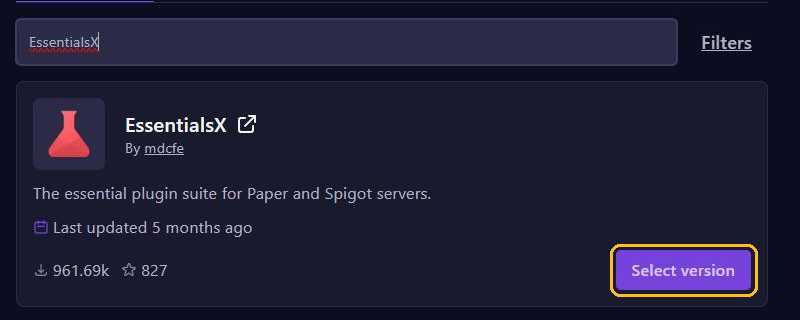
- Search for
EssentialsXand click Select version on EssentialsX by mdcfe. - Pick the version for your Minecraft version and click Install plugin.
- Install EssentialsX Chat for the chat and EssentialsX Spawn for a fixed spawn the same way. Pick the same version for all three.
- Restart your server.
Want ranks with a prefix in the chat? Then also install LuckPerms and Vault. EssentialsX Chat gets the prefix from LuckPerms through Vault. On Minecraft 26.x, use VaultUnlocked, a maintained replacement for Vault. You read more about plugins in Install plugins.
The most important commands
/sethomeand/home: save a home location and go there./sethome basegives it a name./setwarpand/warp: a warp is a place for everyone, such as the shop or the arena./tpa PlayerName: ask whether you may teleport to someone. That player types/tpacceptor/tpdeny./back: return to your previous location, for example after a teleport./kit tools: collect a set of items./spawnand/setspawn: go to the spawn, and set the spawn where you stand (with EssentialsX Spawn).
Regular players can only use these commands with the right permissions. With LuckPerms you give them to everyone like this, for example:
lp group default permission set essentials.home true
lp group default permission set essentials.sethome true
lp group default permission set essentials.tpa true
lp group default permission set essentials.tpaccept true
lp group default permission set essentials.back true
lp group default permission set essentials.warp true
lp group default permission set essentials.spawn true
Changing settings
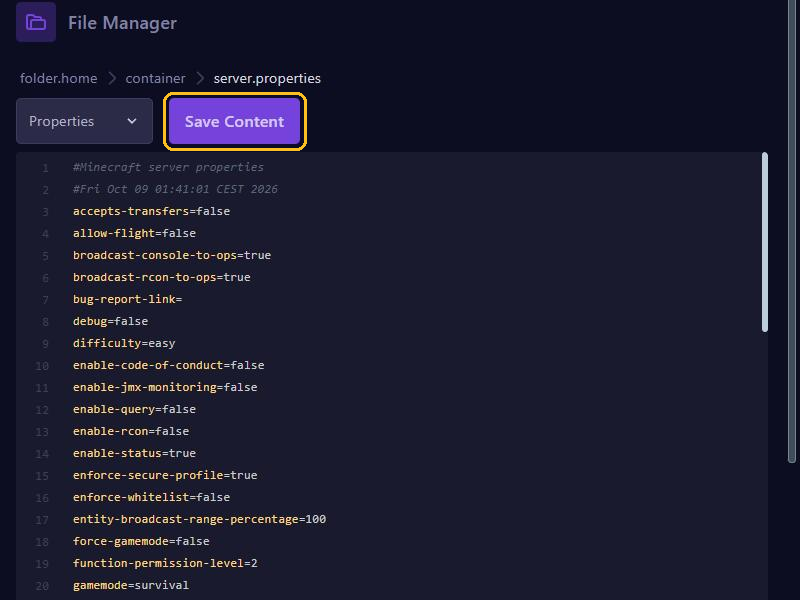
The settings are in plugins/Essentials/config.yml. Open that file in the File Manager, change it, click Save Content and restart your server.
Useful settings:
sethome-multiple: how many homes someone may have. It has three levels:default: 3,vip: 5andstaff: 10. A player needsessentials.sethome.multiple, and for five homes alsoessentials.sethome.multiple.vip.teleport-delayandteleport-cooldown: waiting time before and between teleports, in seconds. Both 0 by default.spawn-on-join: set this totrueif everyone should start at the spawn when they join.per-warp-permission: set this totrueif you want to decide per warp who may use it.
You set up kits in plugins/Essentials/kits.yml, which already contains an example kit called tools. A player needs the permission essentials.kits.<name> for a kit, so essentials.kits.tools.
Tips
- Always update EssentialsX and its modules together, to the same version.
- EssentialsX replaces a few regular commands, such as
/giveand/kill. Want the original? Putminecraft:in front, like/minecraft:kill.