With Tebex you sell ranks and cosmetics in your own webstore. After a payment, the Tebex plugin runs commands on your server by itself.
What is and isn't allowed?
The rules are in the Minecraft Usage Guidelines, under Servers and hosting. Allowed:
- Cosmetics, such as a prefix, chat colour, particles or a pet. No capes or anything that looks like one.
- Paid access, with the same price for everyone.
- Donations, without a reward that only the donor can use. A reward for everyone when a goal is reached is fine.
- Gameplay perks that give no advantage and don't spoil the fun of others. So no better weapons (pay to win).
- In-game money that can't be exchanged for real money and doesn't look like Minecoins.
Not allowed:
- Gambling, because everything must be suitable for all ages. So leave out paid crates with random prizes.
- Access that depends on something outside the game, such as a Twitch subscription.
- Letting in players without a genuine, paid copy of Minecraft. So keep online-mode on.
Show the content and prices before someone joins, for example with a link to your webstore. When in doubt, stick to cosmetics: Mojang decides for itself what goes too far.
Creating your webstore
- Create an account at creator.tebex.io. If you are under 18, a parent or guardian does this.
- As the type, choose Minecraft: Java Edition. You usually can't change that later. Using Geyser? Then first read Tebex's instructions.
- Fill in your homepage and describe exactly what the buyer gets with each package. Tebex approves your webstore and your identity before you receive payments.
Getting started is free. Tebex charges a 5% platform fee per payment (November 2026).
Installing the plugin
- In the game panel, go to Plugins and search for
Tebex. - Click Select version, pick the newest paper version, click Install plugin and restart your server.
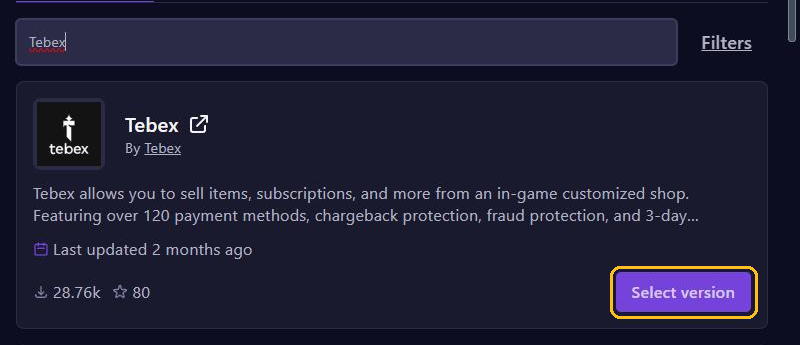
In November 2026 that is version 2.4.2, up to and including Minecraft 26.1.2. On 26.2 or 26.3, first make a backup and upload the newest tebex-bukkit file from GitHub to the plugins folder yourself.
Linking with your secret key
- In Tebex, go to Integrations and Game Servers, and click Connect Game Server.
- Choose Plugin. Tebex now shows your secret key.
- In the console, type
tebex secretfollowed by your key. - Type
tebex info. If you see your webstore, the link works.
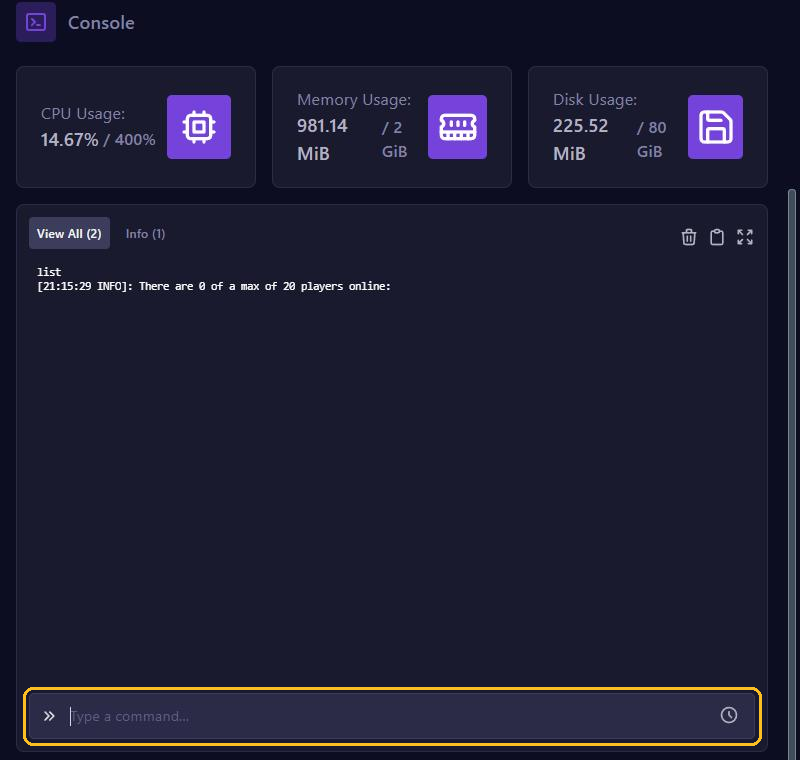
Keep that key secret: it is how Tebex recognises your server. Afterwards the key is in plugins/Tebex/config.yml, and with EssentialsX also in the log files in logs. Never share those files and never take a screenshot of them.
How a purchase runs commands
You create a package in Tebex under Packages with Add New and Package. Add a command without a / in front. Tebex fills in {username} with the buyer's name. Create the vip group with LuckPerms first.
lp user {username} parent add vipFor 30 days, use lp user {username} parent addtemp vip 30d accumulate. If someone buys again, LuckPerms adds the days up.
- The commands run within a few minutes of the payment, through the console.
- By default a command waits until the buyer is online (Require the customer to be online).
Test a command in the console first, with a real player name. Then test the package with a manual payment (Payments, Create Payment) instead of real money.