With a wipe your Rust server starts over. There are two kinds:
- Map wipe: a new world. Buildings, boxes and items are gone, but players keep their learned blueprints.
- Blueprint wipe: the learned blueprints are gone and everyone learns everything again. You usually do this together with a map wipe.
Which files hold what
Your world is in the server/rust folder, which you open through Files. The numbers in the names change, so look at how a name starts:
proceduralmap.<size>.<seed>.<version>.map: the map itself. A custom map has its own name here.- The same name, but ending in
.sav,.sav.1or.sav.2: the world with all buildings, plus backup copies the server makes itself. player.blueprints: the learned blueprints.player.deaths,player.identities,player.statesandplayer.tokens: other player data. Throughplayer.tokens, players are paired with the Rust+ app.cfg: your admins inusers.cfg, your bans inbans.cfgand yourserver.cfg. Leave this folder alone.
Facepunch's forced wipe
Facepunch releases an update on the first Thursday of every month, such as on 5 November 2026. With it, the version number in the save file's name goes up, so every server starts with a fresh world. Blueprints stay, unless you delete them yourself. Want a different map straight away? Enter a new WORLD SEED before the restart.
By default Rust assumes this happens at 19:00 London time, which is 20:00 in the Netherlands (see Facepunch's wipe timer). Type PrintWipe in the console to see when the timer expects the next wipe.
Your server only fetches the update when it starts. So restart it after the update, after 20:00 Dutch time. With Oxide or Carbon this matters even more: on 5 November 2026 their new versions came out shortly before the new Rust, and they don't fit the old one. If the server doesn't come online properly, restart it again a bit later.
Wiping yourself
- Warn your players and click Stop. The server then saves the world.
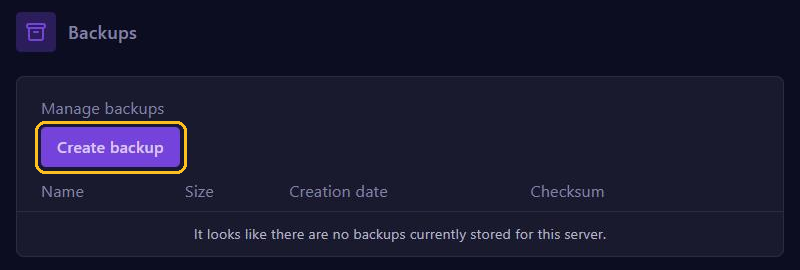
- Go to Backups and make a backup with Create backup.
- In Files, open the
server/rustfolder. - Map wipe: delete the files that start with
proceduralmap(with a custom map: the.savfiles of that map). - Blueprint wipe: also delete the files that start with
player.blueprints. - Different map? Enter a new WORLD SEED or CUSTOM MAP URL under Startup.
- Click Start. The server builds the map again, which takes a while.
Plugins and their settings stay (see Rust: Oxide and your first plugins). Want to clear plugin data too, such as homes? Then delete only that plugin's file in oxide/data or carbon/data. Don't empty the whole folder: your groups and permissions are there as well.
Schedules around the wipe
With Schedules you set up commands, restarts, stops and backups in advance. A schedule can't delete files: you do the wipe itself in Files.
An example for the forced wipe on Thursday 3 December 2026:
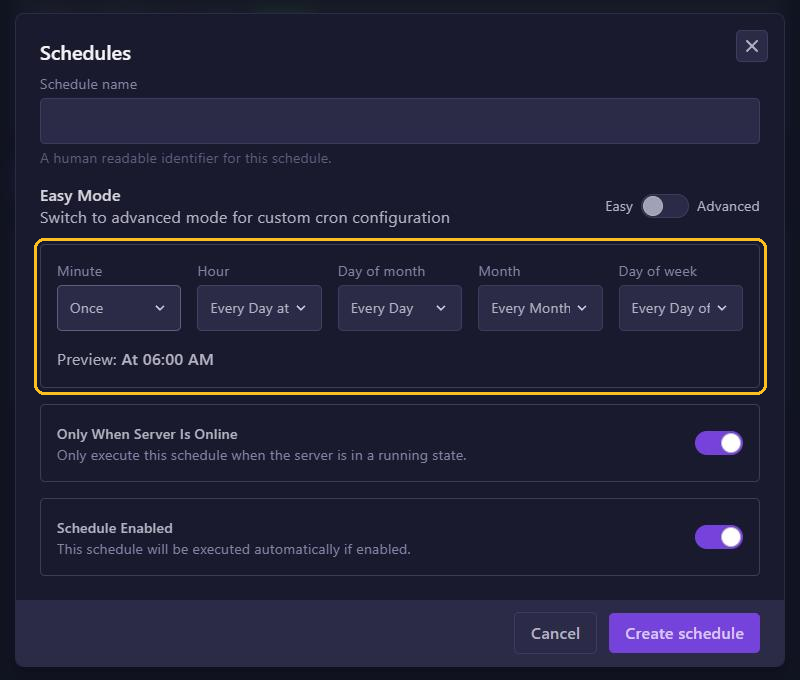
- Create a schedule for 3 December at 19:45: choose 3 at Day of month and 12 at Month, or enter
45 19 3 12 *under Advanced. Check the time under Preview. - Task 1: Send command with
say The server restarts at 20:15 for the wipe. - Task 2: Send command with
server.save. - Task 3: Create backup, with a time offset of 60 seconds.
- Create a second schedule for 20:15 (
15 20 3 12 *) with Send power action and Restart.
After the restart, check in the console that the server starts properly. Wiping yourself? Then set up a warning and a Stop this way, and afterwards follow the steps under Wiping yourself.