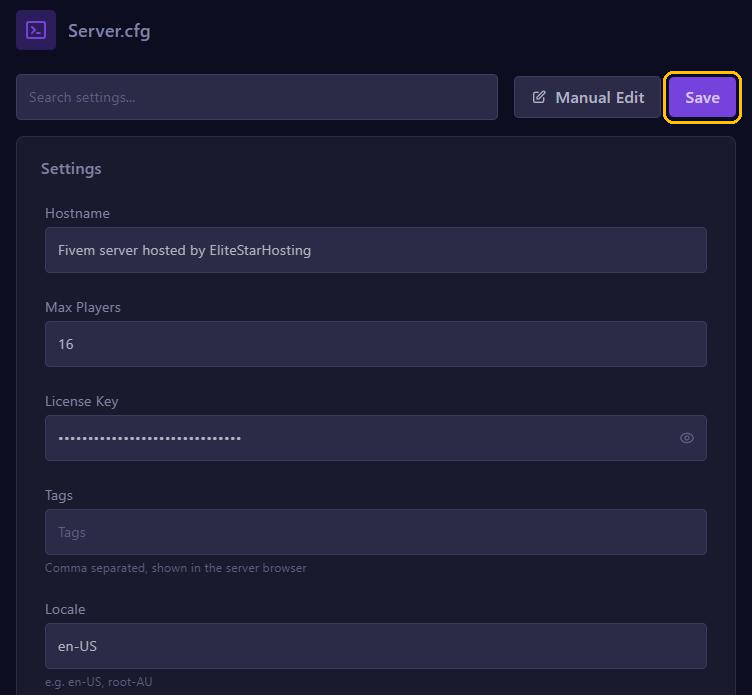
The server.cfg editor shows your FiveM server's settings as fields. You set your license key, name and player slots with Set up your FiveM server.
OneSync
With OneSync, the server itself keeps track of where players, cars and NPCs are. You need it from 32 players and for many modern scripts. It's free up to 48 slots; above that, you need a paid Element Club subscription from Cfx.re.
On our servers, txAdmin handles OneSync; it's on by default. To change it:
- Click Tx Admin at the top of your server page.
- Go to Settings, tab FXServer, and click Show Advanced.
- Under OneSync, choose On (recommended) and click Save FXServer Settings.
If your server.cfg has a onesync line, txAdmin turns it off when the server starts, with ## [txAdmin CFG validator] above it. So leave OneSync in the server.cfg editor on Not set.
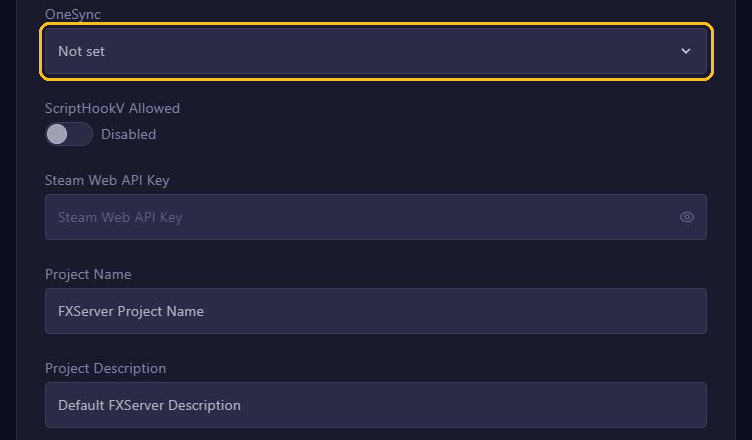
ScriptHookV Allowed
When on, this switch lets in players with Script Hook V, who use it for plugins such as the old Lambda Menu. Cfx.re advises against it: it makes your server vulnerable. Leave it on Disabled and also read Keep your FiveM server clean and safe.
Steam Web API Key
With this key, your server also passes on players' Steam identifier (steam:). Only needed if a script asks for it: players join without it too.
- Log in at steamcommunity.com/dev/apikey. This only works if you have spent at least 5 US dollars in the Steam store.
- Fill in the form and copy your key.
- Paste it in Steam Web API Key in the server.cfg editor and click Save.
- Also fill it in under Startup in STEAM WEB API KEY and restart your server.
On every start, the panel writes the key from Startup into your server.cfg. Never share it. If it leaks, revoke it at Steam.
RCON
RCON is remote administration from a separate program. Without rcon_password it's off. Keep it that way: the console and txAdmin can do the same. If a tool needs it anyway, add rcon_password with Manual Edit, with a long, unique password between quotes, and remove the line when you're done.
Game build
You choose which GTA V update your server loads with sv_enforceGameBuild, using Manual Edit. See Set the game build and DLCs.
Fields that no longer change the server list
Since 21 October 2026, the name, description, tags, language and images in the FiveM server list come from the Cfx.re portal. So Hostname, Tags, Locale, Project Name and Project Description no longer change your listing. See Your server in the FiveM server list.
Max Players does count: it's the number of slots the list shows.
How Manual Edit works
Every field is a line in your server.cfg. Manual Edit shows the whole file as text, including lines without a field.
- One setting per line, and text with spaces between quotes.
- The server skips a line that starts with
#. That way you turn a line off without removing it. - Put settings above the
ensurelines, because a script reads them when it starts. - Click Save and restart your server: the server.cfg is only read at startup.
Your own lines stay. Only a few lines, such as the name, the player count and the keys, are rewritten from Startup on every start.
In Manual Edit, your keys are in plain text: never take a screenshot of it and never share the file.