A roleplay server needs a framework: the foundation that handles characters, money, jobs and inventory and stores everything in a database. Roleplay scripts are usually made for one framework, so choose that first: switching later is a lot of work.
Only want to drive around freely (freeroam)? Then you don't need a framework, see vMenu. New to FiveM? Start with How to set up your own FiveM server.
ESX, QBCore and Qbox in plain words
This is the situation in November 2026. Cfx.re does not pick a favourite: the FiveM frameworks page lists frameworks for information and says the choice depends on what you need.
- ESX Legacy has been around the longest, is actively maintained and has many scripts. The ESX Legacy recipe is in txAdmin.
- QBCore also has many scripts, often with
qb-in the name. According to qbcore.org, the QBCore team is withdrawing from other platforms to focus on Mantle, a new game platform. The FiveM version stays on GitHub, but its recipe is no longer in txAdmin's list. - Qbox started in 2022 as a fork of QBCore and runs most QBCore scripts through a built-in bridge. Scripts for
qb-inventory,qb-targetorqb-menudo need an update, because Qbox usesox_inventory,ox_targetandox_lib. The Qbox recipe is in txAdmin.
Not sure? Check which framework all your most important scripts support.
First, an empty database
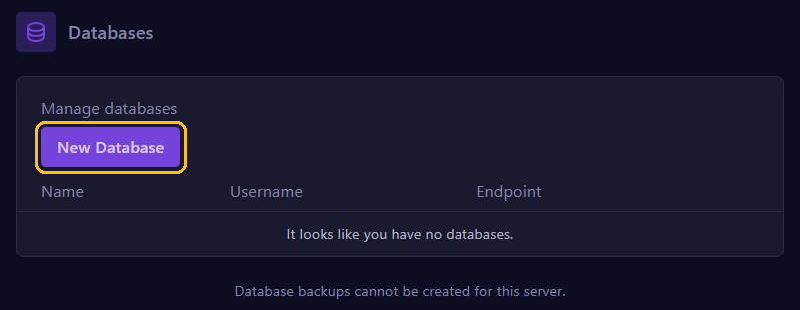
All three store their data in a database, through oxmysql. In the game panel, go to Databases and use New Database to create a new, empty database. The password is under Database Details. Also see Connect a database to your FiveM server.
Install with a txAdmin recipe
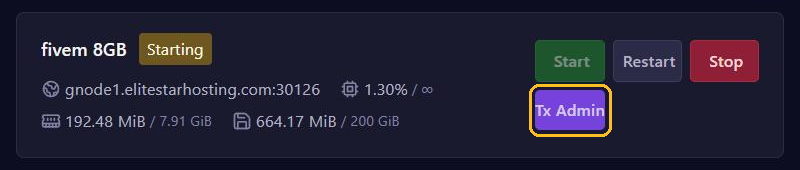
- Click Tx Admin at the top of your server page and follow the first steps from Open and use txAdmin.
- Under Deployment Type, choose Popular Recipes and then ESX Legacy or Qbox. For QBCore, choose Remote URL Template and paste the link below.
- Keep the folder txAdmin suggests, click Save and then Go to Recipe Deployer. Under Review Recipe, click Next.
- Enter your license key in Server Registration Key. Under Show/Hide Database options (advanced), fill in Database Host (the address from Endpoint without the port), Database Port (the number after the colon), Database Username, Database Password and Database Name.
- Click Run Recipe. When everything is done, click Next and Save & Run Server.
https://raw.githubusercontent.com/qbcore-fivem/txAdminRecipe/main/qbcore.yamlDon't leave Database Name empty, or txAdmin picks a name itself. Only turn on Delete Database if everything in that database may go.
Is txAdmin already set up and you see no setup screen? In txAdmin, under Settings, tab FXServer, click Reset next to Server Data Folder to go back. No files or databases are deleted.
After the first start: check these
- Database: the console shows
Database server connection established!, after the version of the database. SeeUnable to establish a connection to the database? Then check your details. According to its documentation, Qbox needs MariaDB 10.9 or newer. - Errors: no red lines such as
Couldn't find resource. - Playing: connect, create a character and check that you appear in the city.
- Game build: the recipe sets a fixed build. For newer DLCs, see Set the game build and DLCs.
- Admins: the recipe puts your own account in
group.admin. Add co-admins as in Admins and permissions on your FiveM server.
Everything working? Then make a backup and export your database before you add scripts.