In FiveM, cars, maps and clothing are simply resources, just like scripts: a folder with an fxmanifest.lua and the game files. The difference is that players download those files as soon as they join. Read more about resources in Install scripts (resources).
Choose a version made for FiveM
Most packs for FiveM are already a complete resource: a folder with an fxmanifest.lua and a stream folder. Check this before you upload anything. Only have loose files? Then build the resource yourself, as shown further down.
Is a car or piece of clothing from a recent GTA V DLC, or does a pack ask for a minimum build? Then first set the right game build.
1. Upload
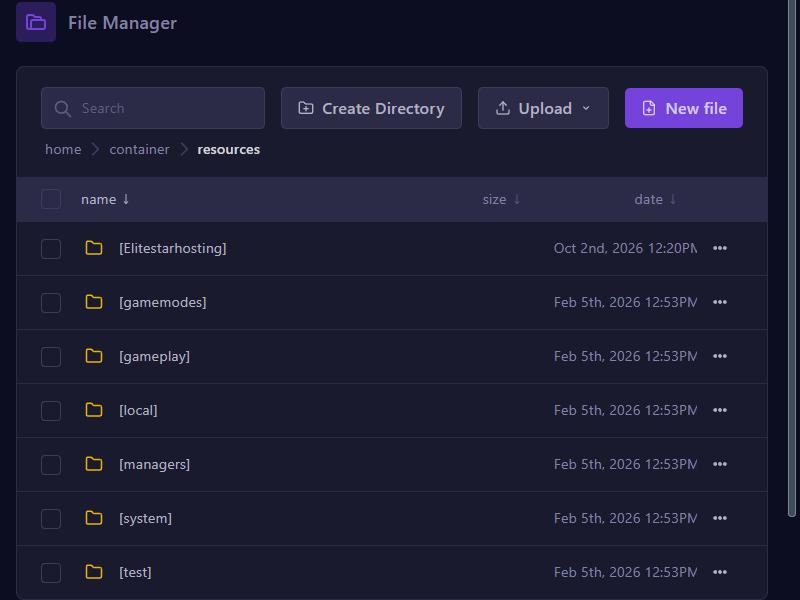
- In the game panel, open Files and go to the resources folder.
- Want to keep things tidy? Make a folder in brackets with Create Directory, such as
[cars], and open it. - Upload the resource folder with Upload and then Upload Folders. Use SFTP for big packs.
2. Start
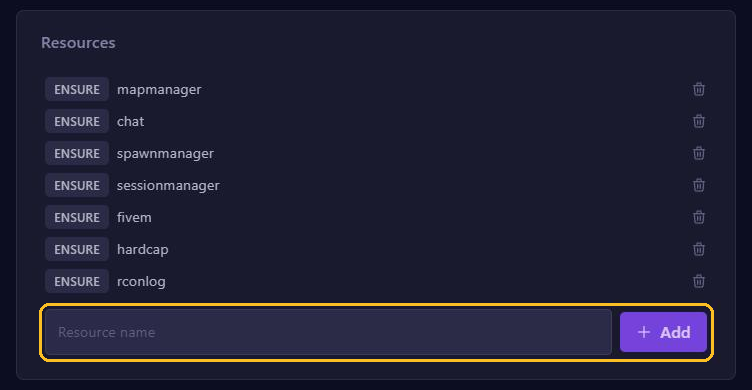
- Go to server.cfg editor.
- Under Resources, type the folder name, for example
my-car, and click Add. - Click Save and restart your server.
Building a car resource yourself
A car usually consists of model files (.yft and .ytd) and a few .meta files. Arrange them like this:
my-car/
  fxmanifest.lua
  stream/   the .yft and .ytd files
  data/     vehicles.meta, carvariations.meta, carcols.meta, handling.meta
Put this in fxmanifest.lua:
fx_version 'cerulean'
game 'gta5'

files {
    'data/vehicles.meta',
    'data/carvariations.meta',
    'data/carcols.meta',
    'data/handling.meta',
}

data_file 'VEHICLE_METADATA_FILE' 'data/vehicles.meta'
data_file 'VEHICLE_VARIATION_FILE' 'data/carvariations.meta'
data_file 'CARCOLS_FILE' 'data/carcols.meta'
data_file 'HANDLING_FILE' 'data/handling.meta'
FiveM loads everything in stream by itself. Is one of the .meta files missing? Then remove the lines for that file. The name you spawn the car with is in vehicles.meta, under <modelName>. In ESX, test it with /car followed by that name.
Maps and MLOs
A map or MLO (an interior) works the same way: the files go in stream, with this fxmanifest.lua:
fx_version 'cerulean'
game 'gta5'
this_is_a_map 'yes'
Does the map already come with an fxmanifest.lua? Then use that one.
Clothing
Clothing packs for FiveM are almost always a complete resource with a stream folder. You install them just like a car. Add-on clothing needs extra lines in the manifest, such as SHOP_PED_APPAREL_META_FILE. A good pack already has them.
Keep it light
- Players download all cars, maps and clothing when they join. The more and the bigger, the longer loading takes. Only keep what you actually use.
- Does the console warn about an oversized asset? Then models or textures may not load properly for players. Choose a lighter version.
- Replaced a pack and still seeing the old version or broken textures? Stop your server, clear the cache and start it again.