Creating new chunks is heavy work for your server. With Chunky you do it in advance, so players don't get lag when they explore new land. The basics are in our tips against lag. Here we go further.
Installing
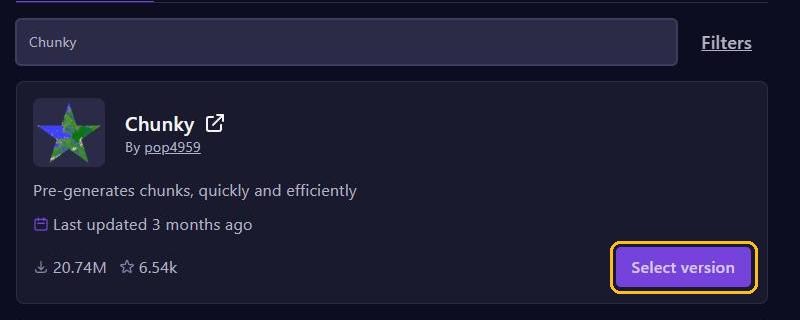
- In the game panel, go to Plugins and search for
Chunky. - Click Select version on Chunky by pop4959.
- Pick the newest paper version and click Install plugin. On 8 November 2026 that is 1.5.66, for Minecraft 26.1 up to and including 26.3.
- Restart your server and type
chunkyin the console. You then see the help menu.
Does your server run Fabric or NeoForge? Then install Chunky through Mods, on Fabric together with Fabric API. The commands are the same.
Radius and world border
Chunky works with a radius: the distance from the centre to the edge. worldborder set, on the other hand, asks for the full width. So a border 10,000 blocks wide goes with radius 5000. That's why you set the border first and let Chunky copy it:
worldborder center 0 0
worldborder set 10000
chunky worldborder
chunky start
chunky worldborder copies the centre and radius of the border. Only do this after worldborder set, or Chunky copies the huge default border. chunky selection shows what is selected. You read more about the border in Set a world border and the spawn point.
The Nether and the End
Since Minecraft 26.1, the Nether and the End are in the world/dimensions/minecraft folder, on Paper too. Chunky 1.5.66 names worlds on Paper by their key: minecraft:overworld, minecraft:the_nether and minecraft:the_end. The old names, such as world_nether, work too.
In the Nether, every block stands for 8 blocks in the normal world. So a border of 10,000 goes with 1250 in the Nether:
execute in minecraft:the_nether run worldborder set 1250
chunky world minecraft:the_nether
chunky worldborder
chunky start
For the End, use the same commands with minecraft:the_end. The 1 to 8 ratio doesn't apply there.
Pausing and continuing
chunky pausestops the work and saves the progress.chunky continuepicks it up again, also after a restart.chunky progressshows how far along Chunky is.chunky limit 20allows the selected world at most 20 chunks per second, handy when players are online after all.chunky limit 0removes that limit.chunky cancelthrows the task away, afterchunky confirm. What has already been generated stays.
Chunky also saves the progress when the server stops normally, and since 1.5.66 every minute. After a restart, Chunky doesn't continue by itself. Want it to, for example because of a daily restart with Schedules? Then set continue-on-restart to true in plugins/Chunky/config.yml.
Disk space and time
Every chunk ends up on disk. If you double the radius, you get four times as many chunks. The World Size Calculator, which Chunky's makers point to themselves, estimates in November 2026 that a normal world on 26.1.2 takes almost 4 GB with radius 5000 and almost 16 GB with radius 10,000. Check on the Console page how much storage you already use, and expect your backups to grow too.
The console shows the progress, the time left (ETA) and the speed in chunks per second (cps). Radius 5000 is about 390,000 chunks: at 100 per second that takes just over an hour, at 50 per second just over two hours.
Before players arrive
According to Chunky's makers, it usually goes faster while nobody is playing yet, and players then don't notice anything. Using BlueMap? Then type bluemap stop first and bluemap start when Chunky is done.
On Paper, an empty server simply keeps working: pause-when-empty-seconds is -1 there by default. On Fabric and NeoForge with 26.x the default is 60 seconds. Set it to -1 in Config there, or the server pauses without players, and so does Chunky.