A world border gives your world an edge. Players can't go past it, and your server doesn't have to keep creating new land. That saves disk space and keeps your server faster. The spawn point decides where new players appear.
You type the commands in the console without the /, or in the game with a / in front as an operator.
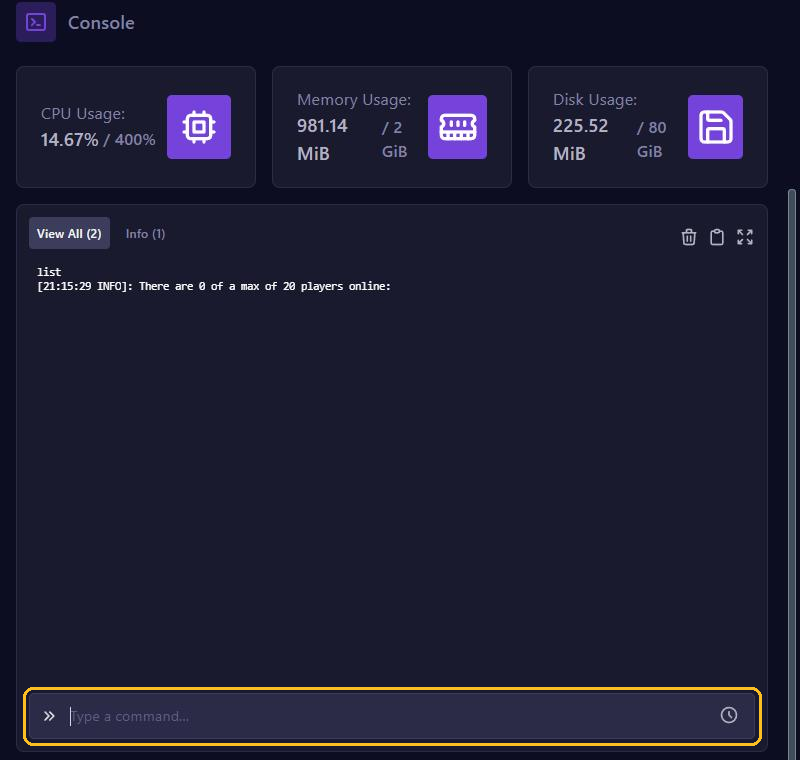
Setting a world border
worldborder center 0 0
worldborder set 5000
The first command puts the center of the border at the coordinates 0, 0. The second makes the world 5000 blocks wide, so 2500 blocks in every direction from the center. worldborder get shows how big the border is now.
Want to make the border bigger later? worldborder add 1000 adds 1000 blocks. Add a time and the border grows slowly. This makes it grow to 7000 blocks over an hour:
worldborder set 7000 3600sNote: since Minecraft 1.21.11 that time counts in ticks, and 20 ticks is 1 second. So add s (seconds) or d (in-game days). A bare number like 600 is now 30 seconds, not 10 minutes.
The Nether and the End
Since Minecraft 1.21.9, every dimension has a world border of its own. A command in the console applies to the normal world. For the Nether, type:
execute in minecraft:the_nether run worldborder set 1000In the Nether, every block stands for 8 blocks in the normal world. So a border of 1000 in the Nether matches 8000 in the normal world. For the End, use minecraft:the_end.
What happens at the border?
The screen turns red when players get close to the border. If they go past it, they take damage after a few blocks. You set that like this:
worldborder damage buffer 5: how many blocks a player can go past the border without damage. 5 by default.worldborder damage amount 0.2: how much damage per block per second. 0.2 by default.worldborder warning distance 10: from how many blocks away the screen turns red. 5 by default.
Tip: let your server create the world inside the border in advance. Then nobody gets lag when players explore new land. You read how in our tips against lag.
The spawn point
Stand in the game where players should appear and type /setworldspawn. Or give the coordinates, for example setworldspawn 100 70 -50 in the console.
New players don't appear exactly on that point, but on a random spot around it. The game rule respawn_radius decides how big that area is: 10 blocks by default. Before 1.21.11 it was called spawnRadius. Want everyone to appear exactly on the spawn point? Then type:
gamerule respawn_radius 0/spawnpoint PlayerName in the game gives one player a spawn point of their own, where you are standing. You read more about game rules in Change game rules.
Spawn protection
Around the spawn point, players who aren't operators can't build or break anything by default. That's spawn-protection in server.properties, 16 by default. 0 turns it off. It only works when your server has at least one operator. See Set up server.properties.