With game rules you set the rules of play in your world. Do players keep their items when they die? Can creepers blow up blocks? Does time pass? You change them with the gamerule command, simply while your server is running. What you set is saved, even after a restart.
Changing a game rule
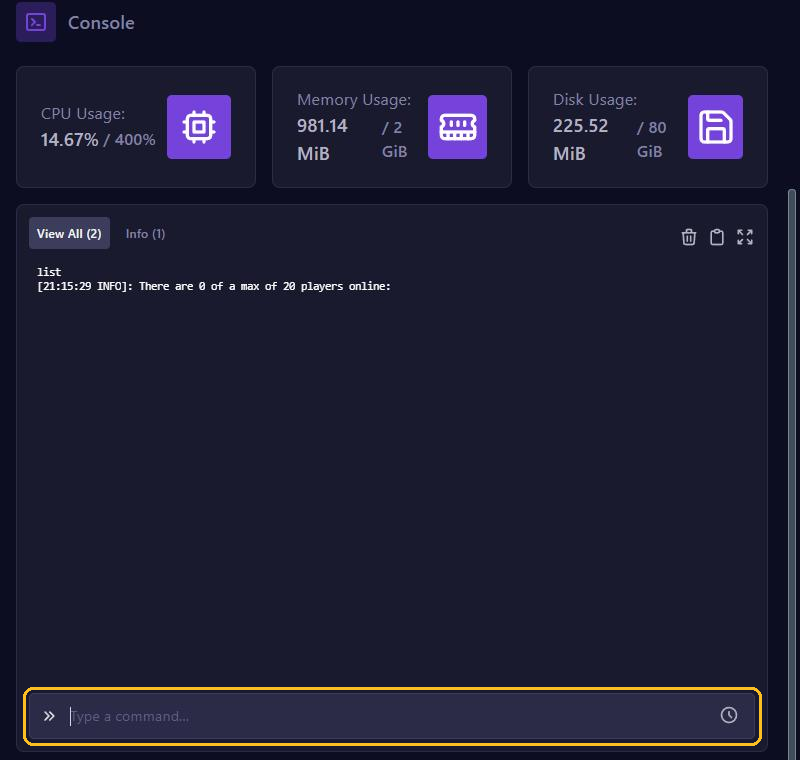
In the game panel's console, type gamerule, the name of the rule and the new value:
gamerule keep_inventory trueIn the game you type the same with a / in front, if you are an operator. Leave out the value to see the current setting, for example with gamerule keep_inventory.
New names since 1.21.11
Since Minecraft 1.21.11, all game rules have new names in lower case with underscores, such as keep_inventory instead of keepInventory. A few also have a really different name. Is your server on 1.21.11 or newer, such as 26.1? Then use the new name. On an older version, use the name in brackets below. Note that the names are case sensitive.
Popular game rules
keep_inventory(keepInventory): players keep their items and XP when they die. Defaultfalse.mob_griefing(mobGriefing): withfalse, creepers no longer blow up blocks and endermen don't pick anything up. Villagers then also stop harvesting crops. Defaulttrue.advance_time(doDaylightCycle): withfalse, time stands still. Want it to be day all the time? Typetime set dayfirst. Defaulttrue.advance_weather(doWeatherCycle): withfalse, the weather stays as it is. Defaulttrue.fire_spread_radius_around_player: how many blocks around a player fire can spread. With0, fire no longer spreads. Default128. On older versions you turn that off withdoFireTick false.pvp: withfalse, players can't damage each other. Defaulttrue.command_blocks_work(in 1.21.9 and 1.21.10:commandBlocksEnabled): turns command blocks on or off.players_sleeping_percentage(playersSleepingPercentage): what percentage of players must sleep to skip the night. Default100. With0, one sleeping player is enough.immediate_respawn(doImmediateRespawn): players come back straight away, without the death screen. Defaultfalse.spawn_phantoms(doInsomnia): withfalse, phantoms no longer appear. Defaulttrue.
Is your server on a version from before 1.21.9? Then PvP and command blocks are still in server.properties, see Set up server.properties. You find all game rules on the Minecraft Wiki.
Paper and Purpur: each dimension separately
On Paper, Purpur and Spigot, each dimension has its own game rules. A command in the console only applies to the normal world, the overworld. In the game it applies to the dimension you are in at that moment. Want keep inventory in the Nether and the End too? Then also type:
execute in minecraft:the_nether run gamerule keep_inventory true
execute in minecraft:the_end run gamerule keep_inventory true
On an older version, use the old name here too. On Vanilla and Fabric, a game rule applies to all dimensions at once.
A new world
Game rules belong to a world. If you create a new world, it starts with the default values again. So set your game rules again afterwards.