With GriefPrevention, players protect their own builds. They claim a piece of land with a golden shovel, and inside it nobody else can build, break or look in chests. As the admin you hardly have to do anything. Ideal for survival servers and SMPs.
Install GriefPrevention
- Open your server in the game panel and go to Plugins.
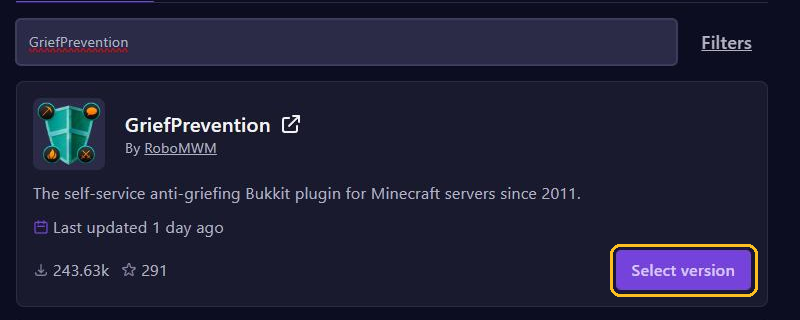
- Search for
GriefPreventionand click Select version on GriefPrevention by RoboMWM. - Pick a version for your Minecraft version, click Install plugin and restart your server.
GriefPrevention works on Paper, Purpur and Spigot. Its settings are in plugins/GriefPreventionData/config.yml. There is more about plugins in Install plugins.
How players claim land
- When players place their first chest, they automatically get a small claim around it.
- For a claim of their own, they take a golden shovel and right-click one corner of the area, then the opposite corner.
- Holding a stick and right-clicking shows them where a claim is.
- A claim reaches up to the maximum build height. If the owner digs deeper, the claim follows them down by itself.
Every player starts with 100 claim blocks and earns 100 more per hour of play, as long as they aren't standing idle. So a 10 by 10 claim costs 100 blocks. /claimslist shows your claims and your claim blocks.
Give others access
The owner stands in the claim and types:
/trust Steve: Steve can do everything, including building and breaking./containertrust Steve: use chests, furnaces, animals, buttons and levers, but not build./accesstrust Steve: only use buttons, levers and beds./untrust Steve: takes the permissions away again./trustlist: shows who has which permissions.
/abandonclaim deletes the claim you are standing in.
As an admin
/adminclaims: switches your golden shovel to admin claims mode. Use it to claim the spawn, for example, without claim blocks./ignoreclaims: lets you build through claims as an admin. Type it again to turn it off./deleteclaim: deletes the claim you are standing in, even if it belongs to someone else./adjustbonusclaimblocks Steve 500: gives Steve 500 extra claim blocks.
You manage permissions with LuckPerms. They all start with griefprevention., such as griefprevention.adminclaims.
GriefPrevention or WorldGuard?
- GriefPrevention: players protect their own land, without you having to do anything. Ideal for survival.
- WorldGuard: you as the admin create protected areas with their own rules, such as a spawn without PvP. See Protect your spawn and builds with WorldGuard.
You can use them together: WorldGuard for the spawn and GriefPrevention for the rest of the world. Just don't let their areas overlap. And if something goes wrong outside a claim, find out who it was with CoreProtect.