CoreProtect keeps track of who does what on your Minecraft server: placing and breaking blocks, opening chests, chat and more. If someone griefs, you see exactly who it was and roll the damage back, without restoring a backup.
Install CoreProtect
- Open your server in the game panel and go to Plugins.
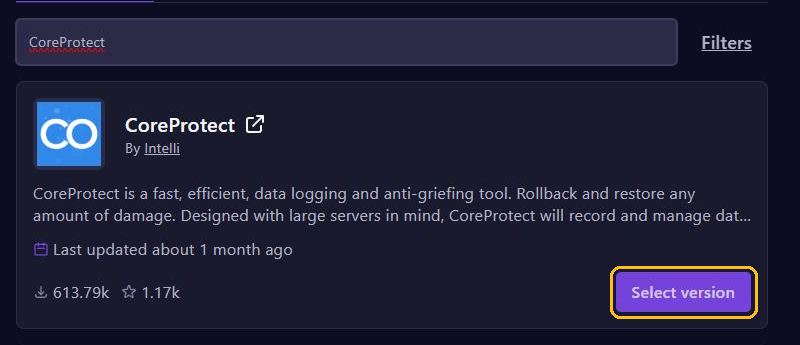
- Search for
CoreProtectand click Select version on CoreProtect by Intelli. - Pick a version for your Minecraft version, click Install plugin and restart your server.
Is your Minecraft version not in the list? When this guide was written (November 2026), CoreProtect supported up to Minecraft 26.2. Wait for an update, or try the newest version after a backup and check with /co status that it runs. If the console shows errors, remove the plugin again.
CoreProtect logs from the moment you install it. It can't roll back anything that happened before.
See who it was
- Type
/co inspect, or short/co i. The inspector is now on. - Left-click a block to see who placed it.
- Right-click a block to see which block next to it was removed. On a chest, door or button you see who used it last.
- Type
/co iagain to turn the inspector off.
To search a bigger area, use lookup:
/co lookup u:Steve t:3h
/co lookup t:1h r:20
u: is the player, t: the time (such as 30m, 3h or 2d) and r: the radius in blocks around you.
Roll back damage
/co rollback u:Steve t:2h r:30 #previewWith #preview you first see what would change, without it actually happening. Looks right? Then run the same command without #preview.
- If you leave out
r:, CoreProtect only rolls back within 10 blocks around you. Withr:#globalit applies to the whole server. /co restorewith the same options puts rolled-back actions back./co undoundoes your last rollback or restore.
Permissions for your moderators
By default, every command is for operators only. Want moderators to search but not roll back? Then give them only coreprotect.inspect and coreprotect.lookup with LuckPerms. Keep coreprotect.rollback and coreprotect.restore for admins.
Clear out old data
The CoreProtect database grows every day. purge removes old data. In the console, type:
co purge t:30dThis keeps the last 30 days. In the game you can only delete data older than 30 days, in the console anything older than 24 hours. Automatic cleanup is only in the paid Patreon version of CoreProtect, but a schedule in the panel does the job too:
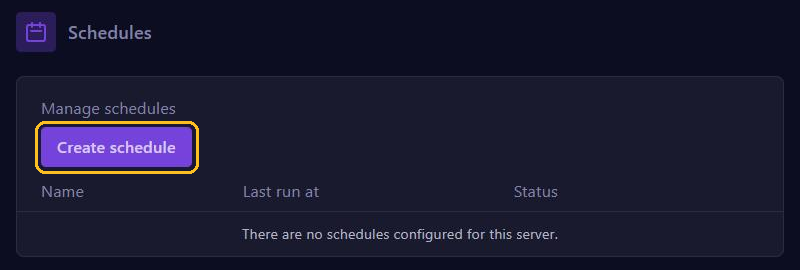
- Go to Schedules and click Create schedule. Pick, for example, every Sunday at 05:00.
- Open the schedule, click New Task, choose Send command and fill in
co purge t:30d.
There is more about schedules in Restart automatically and make backups with Schedules. Rather prevent griefing than repair it? Then look at WorldGuard or GriefPrevention.