Want to go from Vanilla to Paper, or from Paper to Fabric? You do that under Versions. Your world can usually come along, but what you need to do differs per switch. Follow these steps and you won't lose your Nether and End.
Before you start
- Make a backup.
- Stop your server.
- Check which Minecraft version your server runs. From 26.1, switching is a lot easier.
For the new type, pick the same Minecraft version as now, or a newer one. An older version can't load your world.
Installing the new type
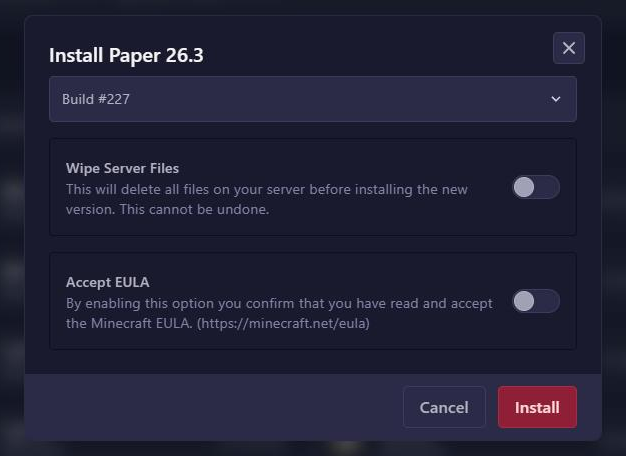
- Go to Versions and click the new server type.
- Click the Minecraft version.
- Leave Wipe Server Files off. With that option on, you delete all your files, including your world.
- Turn on Accept EULA and click Install.
Only start your server once you have also done the steps below for your switch.
Minecraft 26.1 and newer
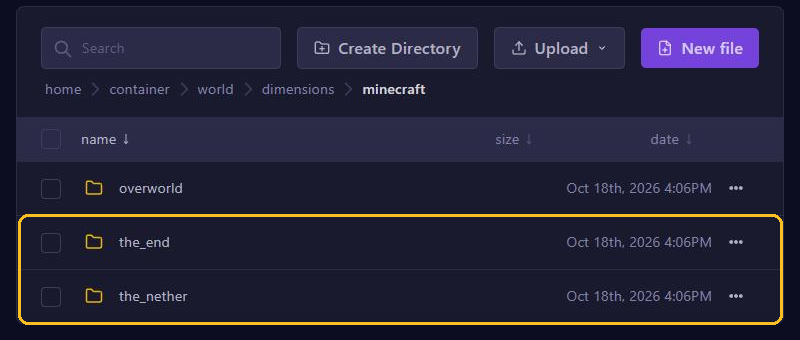
Since 26.1, all server types store the world the same way. The Nether and the End are in the world folder, under dimensions and minecraft.
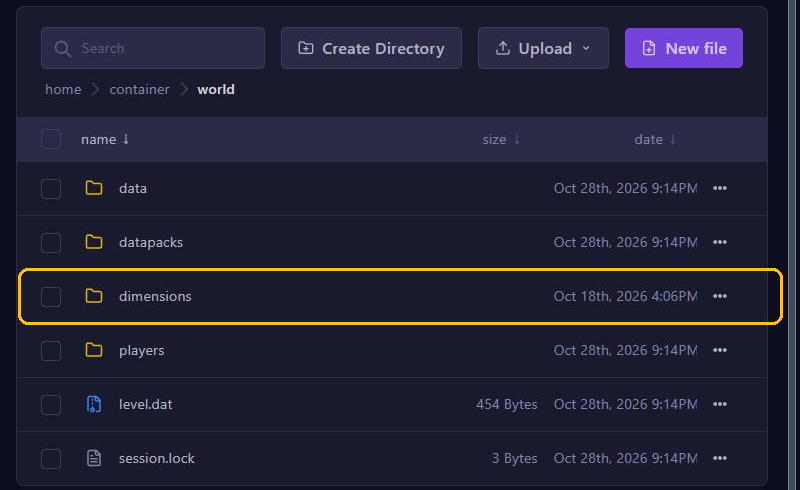
- From Vanilla, Fabric or NeoForge to Paper: simply start your server. Paper converts the world by itself.
- From Paper to Vanilla, Fabric or NeoForge: Paper keeps a few world files in another place. In the File Manager, move the files
game_rules.dat,scheduled_events.dat,wandering_trader.dat,weather.datandworld_gen_settings.datfromworld/dimensions/minecraft/overworld/data/minecraft/toworld/data/minecraft/. Then start your server. - From Spigot to Paper: since 26.1 this can't be done directly anymore. First switch to Vanilla and then to Paper.
Versions older than 26.1
On older versions, Paper keeps the Nether and the End in folders of their own next to world: world_nether and world_the_end. Vanilla, Fabric and Forge put them in the world folder itself, as DIM-1 (Nether) and DIM1 (End).
- From Vanilla, Fabric or Forge to Paper: Paper converts the folders by itself on the first start.
- From Paper to Vanilla, Fabric or Forge: copy the DIM-1 folder from world_nether and the DIM1 folder from world_the_end into the world folder. Then delete world_nether and world_the_end. Already started the server with the new type? Then first delete the new DIM-1 and DIM1 folders in world.
If you skip this step, your Nether and End look like they started over. Nothing is lost then: just put the folders in the right place afterwards.
Mods and plugins don't come along
- Switching from a type with mods to Paper or Vanilla removes the blocks and items of those mods from your world.
- Plugins don't work on Fabric, NeoForge or Forge, and mods don't work on Paper. Find a replacement for the new type.
- After the first start, check the console to see that everything starts properly.
Something went wrong? Restore your backup under Backups. Still not sure which type you want? Then read Which server type should you choose?