In a network, players connect to one address and switch with /server between, for example, a lobby, survival and minigames. For that you put a proxy in front of your servers: Velocity. Velocity handles logging in and sends players on to the right server.
What do you need?
- One server that runs Velocity. A proxy needs little memory.
- Two or more Minecraft servers with Paper: the backends.
- Minecraft 1.13 or newer on the backends, because modern forwarding only works from that version.
1. Install Velocity
- Open the server for the proxy in the game panel and go to Versions.
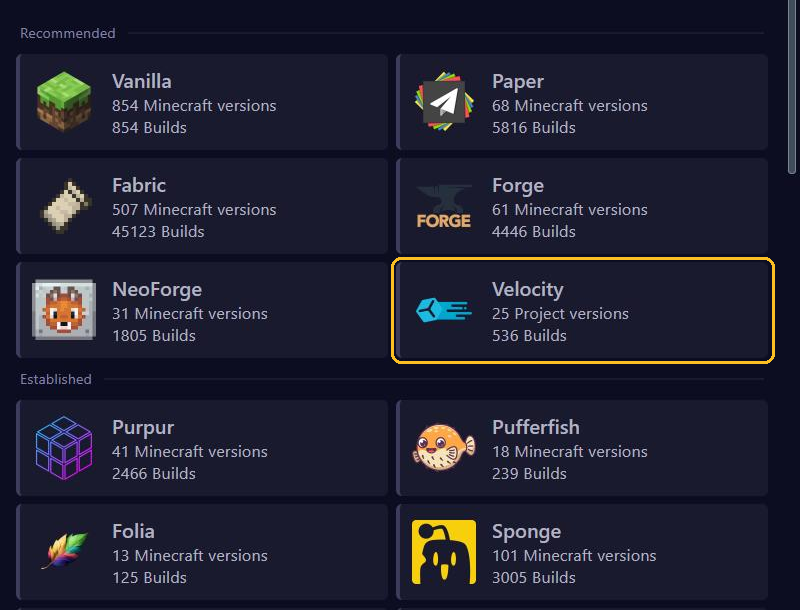
- Choose Velocity under Recommended and install the newest version. See also Change your Minecraft version or server type.
- Velocity needs Java 25. Under Startup, pick Java 25 at Docker Image, see Startup settings.
- Start the server once. Velocity then creates the files
velocity.tomlandforwarding.secret.
2. Set up velocity.toml
Open velocity.toml in the File Manager and change these lines:
bind = "0.0.0.0:25577"
player-info-forwarding-mode = "modern"

[servers]
lobby = "gnode1.elitestarhosting.com:25616"
survival = "gnode1.elitestarhosting.com:25617"

try = [
    "lobby"
]bindneeds the port of your proxy server. You see it at the top of the server page. If it says25565, put your own port there.- Under
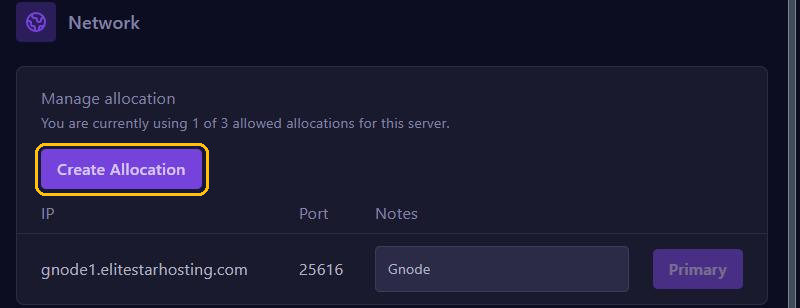
[servers], add each backend with a name of your choice. The address and port are at the top of that backend's server page, and under Network as well. trysays where players arrive, usually your lobby.- Remove the example servers that were already there. Do lines under
[forced-hosts]still point to those examples? Remove them too, or Velocity won't start.
Click Save Content and restart the proxy.
3. Link the backends
Do this on every Paper server in your network:
- Open
forwarding.secreton the proxy and copy the text in it. - On the backend, turn online-mode off under Config, in
server.properties. Velocity now handles logging in. See Set up server.properties. - Open
config/paper-global.ymlin the File Manager and change thevelocity:part underproxies:, as shown below. - Click Save Content and restart the backend.
proxies:
  velocity:
    enabled: true
    online-mode: true
    secret: 'the-text-from-forwarding.secret'
Keep online-mode set to true here, because Velocity itself does check players. Did you use BungeeCord before? Then also set bungeecord to false in spigot.yml. Does a backend run Fabric? Then install the FabricProxy-Lite mod and put the same text at secret in config/FabricProxy-Lite.toml.
Joining and switching
From now on, players only connect to the proxy's address. /server shows which server they are on and where they can go, and /server survival switches them.
Keep the secret text secret
Your backends have online-mode turned off. Without protection, someone connecting directly could then log in with any name, including an admin's. Modern forwarding prevents that: a backend only lets in players who come through a proxy with the same secret text. So that text is the only thing protecting your backends.
Never share forwarding.secret, and never put it in a screenshot or on Discord. Think it has leaked? Then put a new text in forwarding.secret and in every paper-global.yml, and restart everything.
Ranks across the whole network
Install LuckPerms on every backend and the Velocity version of LuckPerms on the proxy. Let them all use the same MySQL database, which you create under Databases. Then your ranks apply everywhere.